

Your shopping cart is empty!
 Call us: +1-(437)-290-7537
Network Security Essentials for Small and Medium-Sized Businesses
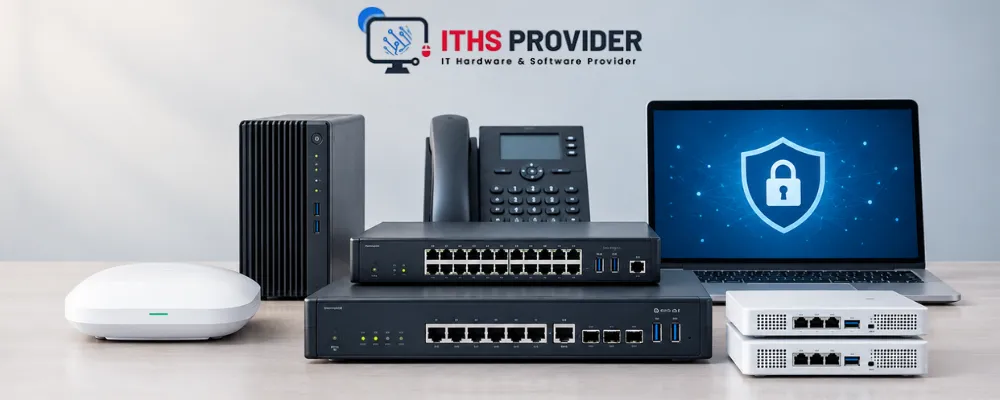
Ask most small business owners who hackers go after, and they'll usually say the big companies with deep pockets. That's not really how it works. Small and medium-sized businesses get hit just as often, sometimes more, because attackers know smaller teams have fewer defenses in place and less time to notice when something's wrong. At ITHS Provider, this comes up constantly when we're talking to small business owners about setting up or upgrading their network.
The good news is you don't need a full IT department or an enterprise budget to get this right. You need a handful of the right pieces, set up properly, and checked on every once in a while. Here's what actually matters: firewalls, endpoint protection, VPNs, backups, employee habits, and how to tell if it's time to bring in outside help.
Table of Contents
Why Small Businesses Are a Bigger Target Than You'd Think
Attackers don't choose targets based on company size. They choose based on how easy the target is. A small business running outdated software, no firewall rules, and a shared admin password is a far easier win than a large enterprise with a dedicated security team watching everything.
One breach can mean stolen customer data, ransomware locking up your files, or weeks of downtime while you rebuild from scratch. For a small business, that's often the difference between a rough quarter and shutting down for good.
The Core Building Blocks of SMB Network Security
Firewalls
A firewall is still your first line of defense between your internal network and everything outside it. It filters traffic, blocks known bad actors, and enforces whatever rules you've set for what gets in and out.
You don't need enterprise-grade hardware built for a data center. What you need is a firewall sized correctly for your traffic, kept up to date, and configured by someone who actually understands your setup rather than left running on factory defaults. If you're comparing firewall options built for smaller networks, weigh ease of management just as heavily as raw throughput.
Antivirus and Endpoint Protection
Every laptop, desktop, and phone connecting to your network is a potential way in. Endpoint protection for small businesses has moved well past the old antivirus model. Modern tools watch for unusual behavior in real time instead of just matching known virus signatures.
If you're comparing options, look for centralized management so you can see the status of every device from one dashboard instead of checking each machine one by one.
VPN Access for Remote and Hybrid Teams
If any part of your team works remotely or logs in from outside the office, a VPN isn't optional anymore. It encrypts the connection between an employee's device and your network, which matters a lot when people are working from coffee shops, airports, or home networks you have zero control over.
When picking a VPN, look at how it handles multiple simultaneous connections and whether it plays well with the rest of your security setup, rather than treating it as a standalone tool bolted on.
Multi-Factor Authentication
MFA is one of the cheapest upgrades you can make with the biggest payoff. A stolen password alone shouldn't be enough to get into your systems. A second verification step, a code, an app prompt, a hardware key, blocks most account takeover attempts even after a password has already leaked.
Email Security
Phishing is still the most common way attackers get into small business networks. Email security tools filter malicious attachments and links before they land in an inbox, but no filter catches everything. Pairing that with basic staff awareness training closes most of the gap that technology alone leaves open.
Data Backup and Disaster Recovery
Ransomware doesn't care how good your firewall is if there's no backup to fall back on. Backups should run automatically, be stored somewhere separate from your main network, and get tested every so often. A backup you've never restored from is really just a guess.
A disaster recovery plan takes it a step further. It answers what happens after something goes wrong, not just how the data gets backed up. Who does what, how fast can you get operational again, and what's an acceptable amount of downtime for your business.
Network Monitoring
You don’t need a fancy security operations center to spot trouble early. Most modern routers and switches (like the ones we cover here) include built-in tools that flag odd logins, unexpected data transfers, or unknown devices on your network. Think of it like a motion sensor for your digital space, quiet, always working, and worth enabling today. It catches issues days before they become crises.
Wireless Network Security
Your Wi-Fi is often the easiest way in for attackers, and it’s usually preventable. Split your guest Wi-Fi from your business network (so visitors can’t accidentally reach your files), use WPA3 if your hardware supports it, and change the password whenever someone leaves the team. It’s a small habit, but it stops the majority of easy breaches we see in Canadian small businesses.
Cloud Security
If you’re using Gmail, QuickBooks Online, or HubSpot (and most of you are), treat those accounts like your physical office: strong unique passwords everywhere, MFA turned on wherever it’s offered, and tight control over who gets admin access. Most cloud breaches we see? They start with a reused password on an account with no second lock. Fix that one thing, and you’ve shut down the most common attack vector.
Password Management & Access Control
Password managers (like Bitwarden or 1Password) aren’t just convenient, they’re essential for teams. They kill password reuse by generating and storing strong logins, and make rotating credentials after someone leaves painless. Pair that with smart access control (e.g., your designer doesn’t need payroll access), and you’ve limited how much damage one compromised account can do. It’s not about distrust, it’s about smart, simple risk reduction.
Do You Need a Managed Security Service?
Not every small business needs a full-time security team, and honestly, most can't justify the cost anyway. That's where managed security services come in. An external provider handles monitoring, updates, and incident response so you're not doing it all in-house.
Bringing in an MSSP tends to make the most sense when:
- Your team has no dedicated IT security person
- You're handling sensitive customer or financial data
- You've already had a close call or an actual incident
- Compliance requirements are getting harder to keep up with internally
If none of that applies yet, a well-configured firewall, endpoint protection, and a solid backup routine might be enough for now. Just make sure someone is actually responsible for checking on all of it regularly, because tools without ownership tend to drift.
A Basic Compliance Checklist
Depending on your industry and customer base, you may have compliance obligations sitting on top of general security best practices.
- GDPR, if you handle data from customers in the EU, applies no matter where your company is based
- PCI DSS, relevant if you process credit card payments directly rather than through a fully hosted third-party checkout
- Industry-specific rules (healthcare, finance, legal) often come with their own additional data handling requirements
Compliance isn't the same thing as security, but the overlap is significant. Most compliance frameworks are really just asking you to prove you're doing the basics correctly.
For additional practical cybersecurity guidance, small businesses can also refer to CISA Small and Medium Business Resources.
Common Mistakes Small Businesses Make With Network Security
A few patterns show up again and again in the small business networks that end up compromised:
- Treating security as a one-time setup. Firewalls and antivirus tools need updates and periodic review, not a set-it-and-forget-it install.
- Sharing logins across staff. Shared credentials make it impossible to know who did what, and they rarely get revoked cleanly when someone leaves.
- Ignoring software updates. Delayed patching is one of the most common ways known vulnerabilities get exploited.
- Assuming small size means low risk. Attackers often prefer small businesses specifically because the defenses are weaker.
- No one owns security. When responsibility is vague, basic tasks like checking backup logs or reviewing access lists quietly stop happening.
Building a Security Budget That Fits a Small Business
You don't need to spend like an enterprise to be reasonably secure. If budget is tight, prioritize in this order: a properly configured firewall, endpoint protection across every device, MFA on any account that supports it, and automated backups. Those four alone cover the majority of real-world attack paths for a small business.
Once those are solid, layer in email filtering, network monitoring, and a written incident response plan. An MSSP becomes worth the cost once your internal team genuinely can't keep up with all of it on top of their regular work.
For additional guidance on building and managing a small business cybersecurity program, see the NIST Small Business Cybersecurity Corner.
Employee Training and Security Culture
Technology alone can't stop every danger. Most problems still happen because someone clicks, shares or approves something they shouldn't. Training doesn't have to be fancy. A short session that teaches how to recognize phishing explains why using the password over and over is dangerous and shows who to tell if something seems wrong can make a big difference. Make it something that happens regularly of just a one-time thing when someone starts working. Threats keep changing and a reminder every few months helps the basics stay fresh in peoples minds.
Small Business Network Security Checklist
- Use this as a check, not a full review:
- Firewall is set up properly configured and not using default settings
- Antivirus software is installed and managed from one place across all devices
- A VPN is required for any remote access to company systems
- Multi-factor authentication is turned on for email, admin accounts and financial systems
- Guest Wi-Fi is kept separate from the main company network
- A password manager is being used, with access only given to what each person needs
- Backups are happening on a schedule with at least one copy stored away from the network
- A simple written disaster recovery plan exists
- Email filtering is in place along with some level of staff training on phishing
Someone is assigned to watch alerts and logs even if only part-time
If more than two or three of these are missing thats usually a sign to fix them before moving on to anything else, on your plan.
What Cyberattacks Actually Cost Small Businesses
The numbers around small business cyberattacks tend to undersell the real damage. Beyond any direct ransom or fraud loss, businesses deal with downtime, lost customer trust, and sometimes legal exposure if customer data was involved. For a small business, even a few days locked out of your own systems can outweigh the cost of the tools that would have prevented it in the first place.
Frequently Asked Questions
Final Thoughts
Network security for a small business isn't about buying every tool on the market. It's about covering the basics properly: a firewall that's actually configured, endpoint protection on every device, backups you can trust, and a team that knows how to spot a phishing attempt.
Start with the checklist above, fix what's missing, and build from there. If you're not sure where your current setup stands, ITHS Provider can help you review your existing network security approach and identify practical areas for improvement.
-160x160.webp)
Leave a Reply
Your email address cannot be published. Required fields are marked*


Information
Customer Service
My Account
©2026 ITHS Provider (A Project of Mehta Corp.) - All Rights Reserved.

No comments