

Your shopping cart is empty!
 Call us: +1-(437)-290-7537
Ubiquiti Networking for Small Business: Features, Benefits, and Limitations
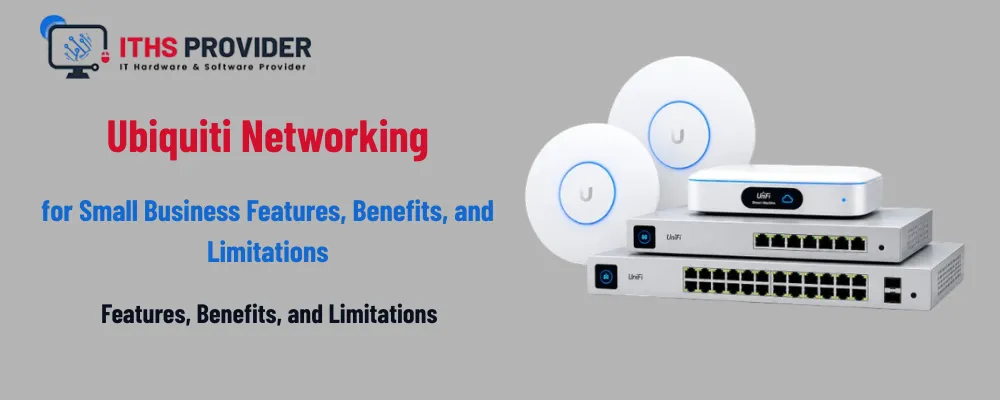
Choosing the right network equipment is an important decision for any growing company. A reliable network supports cloud applications, video meetings, payment systems, file sharing, guest access, and day-to-day communication. When the network is slow or difficult to manage, even simple tasks can become frustrating.
Ubiquiti networking has become a popular option for small businesses because it combines wireless access points, switches, gateways, cameras, and management tools within one connected product family. Its UniFi platform is known for a clean interface, flexible hardware choices, and relatively straightforward administration.
Still, Ubiquiti is not the perfect fit for every organization. It can offer excellent value, but businesses should understand its support model, security features, licensing requirements, and technical limitations before investing.
What Is Ubiquiti Networking?
Ubiquiti Networks develops networking equipment for homes, businesses, service providers, and larger deployments. For small businesses, the best-known product family is Ubiquiti UniFi.
UniFi can bring several network components into one management interface, including:
- Gateways and routers
- Wireless access points
- Network switches
- Security and traffic-management tools
- Guest networks and VLANs
- Optional cameras, door access, and phone systems
This integrated approach can be useful for a company that wants fewer separate management systems. Instead of configuring a router from one vendor, access points from another, and switches from a third, a business can manage much of the network through the UniFi platform.
However, “easy to manage” does not always mean “easy to design.” A reliable installation still requires careful planning, suitable hardware, secure configuration, and regular maintenance.
Key Features of Ubiquiti UniFi
Centralized Network Management
One of the strongest features of Ubiquiti UniFi is centralized management. Administrators can view connected devices, wireless clients, traffic information, alerts, and device health from a single dashboard.
This can make everyday tasks easier, such as:
- Creating or changing wireless networks
- Applying firmware updates
- Reviewing connected devices
- Checking access-point performance
- Managing guest access
- Monitoring network usage
For businesses without a large IT department, a unified dashboard can reduce the effort required to manage routine network changes.
Flexible Wireless Coverage
Ubiquiti wireless access points are available in different designs and performance levels. A small office may need only one access point, while a larger workplace may use several units to provide consistent coverage across offices, meeting rooms, hallways, and shared spaces.
Multiple access points can work together to provide a more consistent wireless experience. When positioned correctly, they can help reduce dead zones and support employee devices, visitors, phones, scanners, and other wireless equipment.
Coverage depends on building materials, interference, client devices, access-point placement, and internet capacity. Installing more access points does not automatically guarantee better Wi-Fi. Poorly placed units can create overlapping signals and reduce performance.
Switching and Power over Ethernet
A Ubiquiti network switch can connect computers, printers, phones, access points, cameras, and other wired devices. Many models also support Power over Ethernet, allowing compatible devices to receive power and data through one network cable.
This can simplify installation, especially when deploying ceiling-mounted access points or security cameras in locations without nearby power outlets.
When selecting a switch, check the number of ports, uplink speed, PoE budget, VLAN support, and expected future growth. A switch that meets today’s needs may become restrictive if the business adds more access points, cameras, or phones later.
UniFi Cloud Gateway
A UniFi Cloud Gateway combines gateway, routing, security, and management functions in a single device, depending on the model. It may support features such as VLANs, VPN connections, firewall rules, traffic reporting, and remote administration.
This type of product can be appealing to small businesses that want fewer separate components. It can also simplify deployment when the gateway, switches, and access points are all managed within the same UniFi system.
Before purchasing, verify the exact model’s capabilities. Ubiquiti product features can differ significantly by device, and advanced requirements may call for additional hardware or third-party services.
| Benefit | Why it matters to a small business |
| Centralized management | Reduces the need to manage each access point and switch separately |
| Broad product range | Makes it easier to build a network that can grow over time |
| Professional wireless features | Supports guest networks, VLANs, multiple SSIDs, and roaming |
| Power over Ethernet | Simplifies installation of access points, cameras, and phones |
| Clear dashboard | Helps staff review devices, alerts, and network performance |
| Flexible hardware options | Allows businesses to select equipment based on office size and requirements |
Benefits of Ubiquiti for Small Businesses
Ubiquiti can be a practical choice for a small company that wants capable equipment without moving immediately to a high-cost enterprise platform.
| Benefit | Why it matters to a small business |
| Centralized management | Reduces the need to manage each access point and switch separately |
| Broad product range | Makes it easier to build a network that can grow over time |
| Professional wireless features | Supports guest networks, VLANs, multiple SSIDs, and roaming |
| Power over Ethernet | Simplifies installation of access points, cameras, and phones |
| Clear dashboard | Helps staff review devices, alerts, and network performance |
| Flexible hardware options | Allows businesses to select equipment based on office size and requirements |
Good Value for Many Deployments
Compared with some traditional enterprise vendors, Ubiquiti can provide a lower entry cost for wireless and switching equipment. This makes it attractive to small offices, retail locations, professional practices, warehouses, and growing companies.
The total cost still depends on the gateway, switches, access points, mounting accessories, support needs, installation, and future expansion. Comparing only the price of one device can give an incomplete picture.
Suitable for Growing Networks
A small business can begin with a gateway, one switch, and a few access points, then add equipment as its network expands. The same management platform can support additional wireless units, VLANs, guest access, and selected security features.
This is helpful for businesses that want to avoid replacing their entire network after opening another office or increasing staff numbers.
Useful Visibility for Everyday Management
The UniFi dashboard can help a business understand what is connected and how the network is performing. Administrators can identify clients, review traffic patterns, check device status, and receive alerts about certain issues.
This visibility does not replace professional monitoring or a complete security program, but it can make routine troubleshooting easier.
Limitations to Consider
Ubiquiti has clear advantages, but it also has limitations that should be considered before it becomes the foundation of a business network.
Security Depth May Not Match Enterprise Platforms
Ubiquiti gateways provide useful firewall, routing, VPN, and traffic-management features. However, organizations that need highly advanced threat detection, extensive compliance reporting, deep application inspection, or specialized security operations may require a dedicated enterprise security platform.
Businesses with strict regulatory obligations should verify that the selected equipment and configuration meet their specific requirements. A polished dashboard does not by itself guarantee complete protection.
A strong network should also use multi-factor authentication, endpoint security, regular patching, secure backups, and properly managed user permissions. The NIST Cybersecurity Framework provides a useful structure for reviewing these broader controls.
Support Can Require More Self-Reliance
Many Ubiquiti deployments are managed directly by the customer or an IT provider. Businesses may need to rely on documentation, community resources, product updates, and their own technical staff for troubleshooting.
That can be perfectly reasonable for an experienced IT team. It may be less suitable for a company that expects immediate, hands-on vendor assistance whenever a network issue occurs.
If your business needs continuous monitoring, rapid incident response, or regular configuration reviews, consider working with a qualified provider rather than managing the environment alone.
Product Availability Can Affect Expansion
Network equipment availability can change. A specific model may be temporarily unavailable, replaced, or difficult to source when the business is ready to expand.
Before standardizing on a product, check its current availability, expected support period, warranty terms, and replacement options. Maintaining a small amount of planning information about compatible alternatives can make future expansion easier.
Advanced Configuration Still Requires Expertise
UniFi equipment is often easier to manage than traditional command-line systems, but secure network design still requires knowledge. VLANs, firewall rules, VPNs, DNS, wireless channels, PoE, and roaming settings can all affect performance and security.
A poorly configured network may expose internal devices, create unreliable wireless coverage, or make troubleshooting more difficult. For business use, installation and configuration should be treated as a technical project rather than a simple plug-and-play task.
Ubiquiti Router, Access Points, and Switches: What Do You Need?
The right equipment depends on your office size, number of users, internet speed, wireless requirements, and connected devices.
A Ubiquiti router or gateway manages the connection between your local network and the internet. It may also provide firewall rules, VPN functions, VLAN support, and traffic controls.
Ubiquiti access points provide wireless coverage. The number required depends on the building layout and expected client density, not just the square footage.
A Ubiquiti network switch connects wired devices and may provide PoE for access points, cameras, and phones.
A simple small-office design might include:
- One gateway or router
- One managed PoE switch
- One or more wireless access points
The final design should be based on a wireless survey, cable layout, device count, and expected growth.
Ubiquiti Network Setup for a Small Business
A reliable UniFi network setup begins with planning. Before installing equipment, identify which devices need wired connections, where wireless coverage is required, and which users or systems should be separated.
Create separate networks where appropriate, for example, employee devices, guests, voice systems, cameras, and building-management equipment. Use strong administrator credentials, multi-factor authentication where available, current firmware, and secure management access.
During installation, pay attention to access-point placement. Avoid hiding wireless units behind metal objects, inside cabinets, or in areas surrounded by thick concrete. Use wired backhaul wherever possible, particularly for access points serving many users.
After installation, test coverage in each important area, check roaming between access points, confirm guest isolation, and verify that business-critical applications work as expected.
Ubiquiti for Small Business Network Infrastructure
Ubiquiti can fit well within small business network infrastructure when the organization needs dependable switching and wireless coverage with centralized administration.
It is often a good match for:
- Small offices
- Retail stores
- Restaurants
- Clinics and professional practices
- Warehouses
- Schools and community organizations
- Businesses with a modest number of locations
It may be less suitable for organizations that require highly specialized enterprise support, complex compliance reporting, extensive security analytics, or a fully managed network operation from the manufacturer.
Ubiquiti Alternatives
Before choosing Ubiquiti, compare it with other vendors based on your actual requirements. Potential Ubiquiti alternatives include Cisco Meraki, Aruba, Fortinet, TP-Link Omada, and other business networking platforms.
The best option depends on the balance between hardware cost, licensing, support, security capabilities, management features, and staff expertise.
| Requirement | What to compare |
| Wireless coverage | Access-point performance, roaming, Wi-Fi standards, and capacity |
| Security | Firewall depth, threat prevention, VPN features, and reporting |
| Management | Cloud control, automation, alerts, and configuration backups |
| Support | Warranty, technical assistance, replacement service, and response time |
| Cost | Hardware, subscriptions, licenses, installation, and maintenance |
| Growth | Product availability, scalability, and compatibility with future needs |
A lower purchase price may not be the lowest total cost if the business later needs additional licenses, outsourced support, or a separate security platform.
Is Ubiquiti Good for Small Business?
For many small businesses, yes. Ubiquiti offers a practical combination of wireless coverage, switching, gateway features, centralized administration, and flexible hardware choices.
It is especially appealing when a company wants a consistent network platform and has access to someone who can configure and maintain it properly.
It may not be the best choice when the business requires:
- Dedicated enterprise support
- Highly advanced security inspection
- Extensive compliance reporting
- Complex multi-site operations
- Fully managed security without internal involvement
The right decision should be based on business requirements rather than brand popularity alone.
Frequently Asked Questions
Final Verdict
Ubiquiti networking can be a strong choice for small businesses that want reliable wireless coverage, managed switching, gateway functionality, and a unified control panel without immediately moving to a complex enterprise platform.
Its main strengths are flexible hardware, centralized management, PoE support, and a broad product ecosystem. Its main limitations include varying support expectations, the need for technical configuration, and security capabilities that may not meet the needs of every larger or regulated organization.
For a well-planned small business Wi-Fi and network installation, Ubiquiti can provide a sensible foundation. Just make sure the selected equipment has enough capacity, the network is securely configured, and your business has a clear plan for updates, support, monitoring, and future growth.
Build the Right Ubiquiti Network for Your BusinessExplore Ubiquiti networking solutions for reliable Wi-Fi, switching, gateway services, and scalable small-business networks. |

Leave a Reply
Your email address cannot be published. Required fields are marked*


Information
Customer Service
My Account
©2026 ITHS Provider (A Project of Mehta Corp.) - All Rights Reserved.

No comments