

Your shopping cart is empty!
 Call us: +1-(437)-290-7537
End of Life IT Equipment Managing Old Servers Switches and Network Hardware
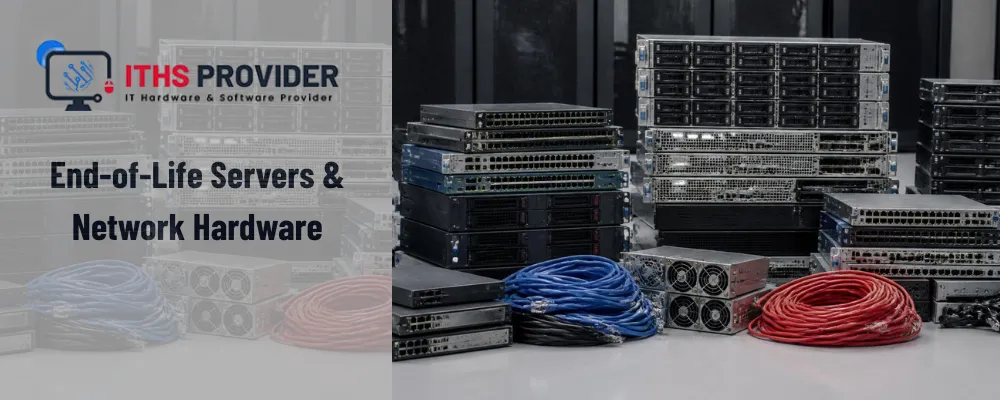
At ITHS Provider, we get a version of the same question from IT teams almost every week: our switch (or server, or firewall) just got flagged as end of life, now what. It's a fair question, and the honest answer is that reaching end of life doesn't mean equipment stops working overnight. It means the clock has started on something else: risk.
This guide breaks down what end of life hardware actually means, how it differs from end of service life, what the real risks are once support ends, and how to build a plan that doesn't leave you scrambling when a critical switch or server finally gives out.
Table of Contents
What Does End of Life Actually Mean
The eol meaning gets confused a lot, partly because vendors use overlapping terms that sound interchangeable but aren't.
EOL, EOS, and EOSL Are Different Milestones
End of life (EOL) is the point where a manufacturer stops producing and selling a specific model. It doesn't mean support disappears immediately, most vendors continue offering limited technical assistance, firmware patches, and replacement parts for a defined window afterward.
End of sale (EOS) is a related but earlier milestone, usually announced months before EOL, marking the last date you can actually purchase the product new.
End of service life (EOSL), sometimes called end of support, is the point that actually matters most for risk. This is when the manufacturer withdraws all support entirely: no more security patches, no more firmware updates, no more replacement parts through official channels. Understanding eol vs eosl is the difference between hardware that still has a safety net and hardware that doesn't.
Why the Distinction Matters
A switch that's EOL but not yet EOSL is still receiving critical security patches. The same switch after its EOSL date is not, and every vulnerability discovered from that point forward stays unpatched for as long as the device stays in your network.
Why Businesses Keep Running End of Life Hardware Anyway
It's rarely negligence. Replacing a core switch or a production server is expensive, disruptive, and often requires downtime that's hard to schedule around a business that can't afford to go offline. Budget cycles don't always line up with EOL announcements either, so equipment quietly keeps running past its official retirement date because the alternative feels more disruptive in the short term. Browsing a full range of networking replacements ahead of time makes that eventual swap far less painful than shopping for it during an emergency.
The problem is that this reasoning tends to work right up until it doesn't.
The Real Risks of Running End-of-Life Hardware
Security Vulnerabilities
This is the big one. Once hardware passes EOSL, any newly discovered vulnerability in its firmware or embedded OS has no vendor fix coming. Attackers actively scan for exactly this kind of unpatched, unsupported equipment because it's a reliable way in, which is exactly why replacing an end-of-life firewall tends to jump the queue ahead of less exposed equipment.
Compliance Exposure
Frameworks like PCI DSS and HIPAA generally expect systems handling sensitive data to be actively supported and patchable. Running EOSL hardware in that path can put a business out of compliance even if nothing has gone wrong yet, which becomes a real problem the moment an audit happens.
Reliability and Downtime
Aging hardware fails more often, and when it does, replacement parts for EOSL equipment can be slow or impossible to source through normal channels. A failure that would have been a same-day fix on supported hardware can turn into days of downtime on something long retired.
Compatibility Problems
Modern software, security tools, and even newer networking equipment increasingly assume a baseline of firmware and protocol support that old EOL hardware simply doesn't have, creating friction that gets worse every year the equipment stays in place.
How Servers, Switches, and Other Hardware Age Differently
Not all end-of-life hardware carries the same level of urgency. Where it sits in your network changes how much risk it actually represents.
| Hardware Type | Typical Risk After EOSL | Priority to Replace |
|---|---|---|
| Core Switches | Network wide outage if it fails | Highest |
| Firewalls | Direct security exposure to the internet | Highest |
| Production Servers | Data loss and extended downtime | High |
| Access Switches | Limited to a smaller segment or branch | Medium |
| Routers | Depends on role, edge routers rank higher | Medium to High |
| UPS and Power Protection | Silent failure during an outage | Medium |
A firewall or a core switch sitting at the edge of your network deserves priority over an access switch quietly serving a handful of printers in a back office. Treating every piece of EOL equipment the same way usually means the wrong things get replaced first.
How to Check Your Hardware's EOL and EOSL Dates
Most manufacturers publish EOL and EOSL dates directly. Cisco's official End of Life Policy is a good example of how these milestones are documented and searchable by product line, and most other major vendors maintain something similar. Checking directly against the manufacturer's own listing is more reliable than going by memory or assuming a device is still current just because it's still running.
Building an End of Life Management Strategy
Keep an Accurate Asset Inventory
You can't manage what you haven't tracked. A current inventory of every switch, server, router, and firewall, including model, install date, and known EOL or EOSL date, is the foundation everything else depends on.
Plan Replacements Before You're Forced To
Once EOL and EOSL dates are known, replacement can be scheduled into a normal budget cycle instead of becoming an emergency purchase after a failure. This is usually cheaper and considerably less stressful than reactive replacement.
Consider Third Party Support as a Bridge
Third party maintenance providers can extend support on EOSL hardware for a limited window, buying time for a planned replacement rather than forcing an immediate one. This works as a bridge strategy, not a permanent substitute for eventually replacing the equipment.
Decommissioning EOL Hardware the Right Way
Retiring old hardware isn't just about pulling it out of the rack. Configuration files, credentials, and cached data often remain on the device unless it's properly wiped, which creates a real data exposure risk if the hardware is resold, donated, or discarded without that step.
Once data is securely cleared, retired equipment should go through a responsible recycling channel. The EPA's guidance on electronics donation and recycling is a solid reference for handling this properly in the United States rather than sending old servers and switches to general waste.
For long term records that need to survive equipment turnover entirely, some businesses keep archival data on dedicated backup and data storage media that isn't tied to any single piece of hardware's lifecycle.
Signs It's Time to Prioritize a Replacement
- The device has already passed its EOSL date with no vendor security patches available
- It sits in a critical path, a core switch, an internet facing firewall, or a production server
- Replacement parts are becoming difficult or expensive to source
Frequently Asked Questions
Final Thoughts
End-of-life hardware isn't a problem that announces itself loudly. It's a slow accumulation of risk that's easy to postpone until a switch fails at the worst possible time or a vulnerability with no available patch gets exploited. Tracking EOL and EOSL dates, prioritizing replacement by how critical the device actually is, and decommissioning old equipment properly turns this from a recurring emergency into a manageable, budgeted part of running IT.
-160x160.webp)
Leave a Reply
Your email address cannot be published. Required fields are marked*


Information
Customer Service
My Account
©2026 ITHS Provider (A Project of Mehta Corp.) - All Rights Reserved.

No comments