

Your shopping cart is empty!
 Call us: +1-(437)-290-7537
IT Hardware Procurement: A Practical Guide for Businesses and Organizations
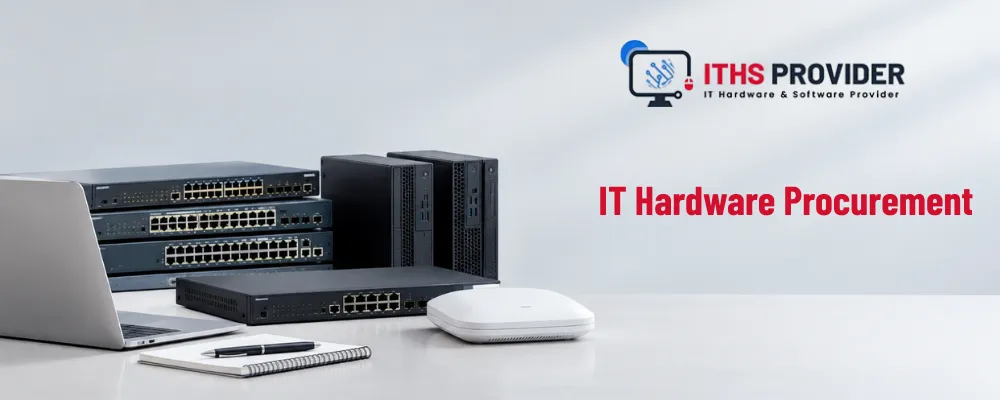
IT hardware procurement gets reduced to one question far too often: which device offers the lowest price? For a business, that question is too narrow to be useful on its own.
The hardware an organization chooses affects how employees actually work, how securely information is handled, how much support the IT team ends up providing, and how easily the business can grow. A laptop that can't run essential applications drags down productivity. An under-sized storage system limits expansion before anyone notices it's a problem. Unreliable networking equipment interrupts daily operations at the worst possible moments.
The right purchase isn't necessarily the newest or cheapest option on the table. It's the equipment that actually meets the organization's requirements, stays supportable, protects business information, and delivers value over its useful life. For a broader look at planning business technology and infrastructure, the ITHS Provider homepage is a good place to start. This guide walks through how businesses and organizations can plan IT hardware procurement more effectively, from defining requirements and comparing suppliers to managing deployment, security, costs, and replacement.
Table of Contents
What Does IT Hardware Procurement Include?
IT hardware procurement is the process of planning, selecting, purchasing, receiving, deploying, supporting and eventually retiring physical technology equipment.
It can include computers, servers, storage systems, monitors, docking stations, printers, firewalls, switches, wireless access points, mobile devices and other infrastructure. This is part of the broader technology procurement picture, which also includes software, cloud services, cybersecurity solutions, communications, and technical support.
The purchasing team might place the order. Effective procurement involves many people. IT teams know what the technical requirements are. Department managers understand how their employees actually use the tools. Finance teams manage the budget. Security professionals evaluate the risks. Purchasing teams handle supplier relationships and approvals.
When all these roles work together of operating in separate silos the organization is much more likely to get equipment that works well in real-world situations.
Why Procurement Should Begin With the Business
A catalogue can tell you what a device has. It can't tell you what your organization actually needs. That decision has to come from the work the equipment is meant to support.
A finance employee working with large spreadsheets might need more memory and a bigger display. A designer might need a workstation with serious graphics power. A field worker often cares more about battery life, portability, and durability than raw processing power. A growing company may need server, storage, or networking equipment that can support additional users and locations down the line.
Before comparing products, think through the applications employees actually use, the type of work they do, whether they're remote or on-site, what accessories they'll need, and how long the equipment should realistically stay in service. This avoids one of the most common procurement mistakes: buying hardware based on a product name or a popular spec sheet without checking whether it actually fits the workload.
Defining Technical Specifications
I find that clear technical specifications help me compare products and supplier quotations easily.
When I look at business computers the technical specifications can include the processor, memory, storage, display, battery, ports, wireless connectivity, operating system, security features and compatibility with device‑management tools.
When I evaluate servers and storage the technical specifications should also cover redundancy, expansion capacity, backup compatibility, virtualization, monitoring and support.
Networking equipment needs an assessment. For me the technical specifications for networking should include port speed and capacity wireless coverage, Power over Ethernet, VLAN support, management options, firmware updates, security features and future expansion.
I think it is helpful to set both a standard and a preferred standard. A regular office user can work well with a mid‑range laptop but a developer, engineer or creative professional may really need a higher‑performance system. This method gives employees the tools, for their work while the organization does not spend extra money on premium hardware that would not give real benefit.
Looking Beyond the Purchase Price
The number on an invoice doesn't represent the complete cost of a piece of equipment. Total cost of ownership includes what it costs to deploy, operate, support, maintain, and eventually retire it.
A simple way to express this:
Total Cost of Ownership = Purchase Price + Deployment Costs + Support Costs + Maintenance Costs + Downtime Costs + Retirement Costs
Deployment can involve configuration, application installation, device enrollment, data transfer, and user setup. Ongoing costs might include repairs, replacement parts, security tools, energy use, support time, and warranty administration. At the end of the device's life, the organization may also need to pay for data destruction, recycling, or secure disposal.
A low-priced laptop can end up expensive if it fails often, needs extra accessories, or has to be replaced earlier than expected. A higher-priced model can turn out to be the better value if it lasts longer, causes less downtime, and needs less support along the way.
Should You Buy or Lease IT Hardware?
One of the common questions that businesses actually ask is whether to buy or lease equipment. There is no correct answer. The decision depends on cash flow how quickly the equipment will become old and how the business wants to record the expense on paper.
Buying equipment gives the business ownership and control from day one. It often provides a tax deduction. After the purchase is paid off there are no payment obligations. The downside is that the initial payment is higher. The business also must handle all maintenance, repair and final disposal of the equipment.
Leasing equipment keeps the cost low. This helps the business keep cash for needs. It also makes it easier to upgrade to equipment at the end of the lease term. Over the run however leasing usually costs more in total than buying. The organization never actually owns the equipment.
A rough rule of thumb is to buy hardware that has an useful life and low risk of becoming outdated such as basic office desktops. Equipment that is tied to fast‑moving technology or purchases that would otherwise strain cash flow are usually candidates for leasing.
Some businesses also mix the two approaches. They buy core infrastructure and lease higher‑turnover items such, as laptops.
Centralized vs. Decentralized Procurement
Who actually controls purchasing is another decision businesses have to make, and it shapes everything else in this guide.
In a centralized model, one IT or purchasing team handles all hardware buying. This keeps security consistent, budgets visible, and standards easier to enforce, but it can slow down individual departments waiting on approval.
In a decentralized model, individual departments manage their own hardware budgets and purchases. This gives teams more flexibility to move fast, but it often leads to compatibility issues, inconsistent security configurations, and fragmented spending that's harder to track.
Most mid-sized businesses land somewhere in between: a centralized policy and approved hardware list, with some flexibility for department managers to request within that framework.
Budgeting and Forecasting
Good budgeting and forecasting let businesses plan equipment purchases before failures start creating pressure. Instead of replacing devices only once they stop working, IT teams can plan around age, performance, warranty expiry, security support, and expected business growth.
A rolling three-year or five-year plan tends to make spending more predictable. It also helps the organization coordinate purchases, prepare for new hires, and avoid grabbing whatever's available in an emergency.
That doesn't mean every device has to be replaced on the same schedule. A reliable device might stay useful well beyond its original plan, while an underperforming or unsupported one may need replacing early.
How to Evaluate Suppliers
Choosing a supplier is more than comparing prices. You may find a supplier who offers a quote yet only provides limited warranty support, unpredictable delivery times or almost no technical help after the sale.
A proper vendor evaluation looks at product quality, stock availability, delivery history, technical knowledge, pricing transparency warranty terms, repair procedures, support response times and customer references. Ask the supplier if the quoted models are truly, in stock now when delivery will happen, what the warranty covers, how faulty equipment is handled and if replacement parts and security updates will stay available in the future.
This is also where supplier management begins to matter. After a purchase you should keep records of delivery performance warranty claims, repair times, product problems and support communication. Reviewing those records over time shows which suppliersre dependable and which create unnecessary work.
For systems a contract must outline support hours, response times, escalation procedures, replacement arrangements and responsibilities when a security issue arises.
Warranty Coverage and Support After Purchase
Warranty coverage can greatly alter the value of a purchase. You should confirm the warranty period, parts and labour coverage, repair process, replacement terms, shipping responsibility and whether batteries or other consumable components are truly included.
Support is worth thinking through before an order is even approved. A business may need help with diagnostics, firmware updates, device configuration, replacement parts, network monitoring, or user issues down the road. Organizations that want help with technical assistance and infrastructure management can review ITHS Provider IT support services.
A supplier with clear support terms can genuinely be a better choice than one offering a slightly lower price with no dependable after-sales service behind it.
Data Security Should Be Part of the Purchase Decision
Hardware procurement has a direct relationship with data security. Computers, servers, storage devices, and network appliances often store or process confidential business information.
Security risks can come from outdated firmware, unsupported operating systems, insecure management interfaces, default credentials, counterfeit components, compromised suppliers, or poorly handled retired equipment.
Before hardware is accepted and deployed, the organization should confirm it can apply encryption, strong authentication, security updates, endpoint protection, and centralized management. Devices should be inspected, recorded, and configured before they're issued to users.
The NIST Cybersecurity Framework provides widely used guidance for identifying, protecting, detecting, responding to, and recovering from cybersecurity risks. For supplier-related concerns, the NIST Cybersecurity Supply Chain Risk Management Practices offer additional guidance. The CIS Critical Security Controls are also useful for asset inventory, secure configuration, access management, and reducing vulnerabilities.
Businesses that rely heavily on stored information should also think about their wider recovery arrangements. Data storage solutions and backup services can form part of a broader data-protection strategy.
Procurement Compliance Without Unnecessary Delay
Procurement compliance means following whatever rules and approvals apply to a given purchase. Depending on the organization and industry, that might include approved supplier lists, spending limits, multiple quotations, contract reviews, information-security requirements, data-protection obligations, accessibility standards, and environmental policies.
Public-sector, healthcare, education, and financial organizations tend to have particularly formal procurement processes. Private businesses may also need to follow controls set by auditors, parent companies, customers, or regulators.
A practical procurement policy makes responsibilities clear. Employees should know how to request equipment, managers should know what they're allowed to approve, and purchasing teams should know which suppliers and documentation are required. Clear approval thresholds and a small range of approved hardware profiles can help maintain control without turning routine purchases into a slow, painful process.
Receiving and Deploying the Equipment
The procurement process doesn't end at delivery. Equipment still needs to be inspected, recorded, configured, secured, and assigned before it ever reaches a user.
During deployment, IT teams may install operating system and firmware updates, configure security settings, enroll devices in management tools, install approved applications, test networks and peripherals, and transfer user data securely.
For larger purchases, a pilot deployment can catch problems before the equipment goes out across the whole organization. It might reveal compatibility issues involving applications, drivers, docking stations, printers, wireless networks, or security policies that weren't obvious on paper. A documented standard configuration also makes future deployments faster and more consistent.
Keeping Accurate Hardware Records
IT hardware inventory management helps an organization understand what equipment it actually owns, where it is, who's using it, and when it might need attention.
An asset record usually includes the model, serial number, asset tag, purchase date, supplier, cost, assigned user, location, warranty expiry, condition, security status, and expected replacement date.
Asset tracking can run through dedicated asset-management software, an IT service-management platform, barcode labels, QR codes, or a carefully controlled spreadsheet. Accurate information makes it much easier to locate equipment, process warranty claims, spot missing devices, plan replacements, support audits, and respond to security incidents. It also helps avoid unnecessary purchases when suitable equipment is already sitting unused somewhere else in the organization.
Managing the Device Lifecycle
The device lifecycle starts the moment a requirement is identified and ends when the equipment is securely retired. In between, a device might be purchased, deployed, maintained, upgraded, reassigned, repaired, and eventually replaced.
IT hardware lifecycle management helps the organization make those calls based on evidence rather than guesswork. Age matters, but it should be weighed alongside performance, failure history, repair costs, security support, operating system compatibility, battery condition, parts availability, and the employee's actual workload.
A device that's still secure and reliable can keep providing value well past its "expected" replacement date. But keeping unsupported or regularly failing equipment in service tends to increase both downtime and security risk.
When equipment is retired, organizations must securely erase or destroy storage according to their requirements. Responsible recycling should be part of that plan too. The U.S. Environmental Protection Agency's electronics recycling guidance covers donation and recycling options.
Standardization and Scalability
Standardization makes IT asset procurement a lot easier to manage. When a business sticks to a controlled range of approved devices, IT teams can simplify configuration, troubleshooting, user training, spare-parts management, and support.
That doesn't mean every employee needs identical equipment. A small number of profiles can cover different workloads while keeping the fleet manageable. An organization might approve a standard business laptop for general users and a higher-performance model for employees running demanding software.
Future scalability is worth planning for too. Equipment may need to support additional employees, new offices, higher storage requirements, remote work, new applications, or changing security controls. The best approach usually isn't to buy maximum capacity right away. Hardware with sensible expansion options, upgrade paths, and management features lets the organization grow without replacing its entire infrastructure too soon.
Measuring Return on Investment
The return on investment from IT hardware can show up as faster work, fewer interruptions, lower support costs, improved security, longer service life, or better customer service.
A simple calculation:
ROI = (Total Benefits − Total Investment) ÷ Total Investment × 100
The calculation is only as good as the assumptions behind it. If new computers cut down application waiting time, estimate the productive time actually recovered. If new storage reduces the risk of outages, factor in the likely operational cost of an interruption.
Some benefits are harder to pin down as a precise number. Stronger security, better compliance, improved employee experience, and easier management still matter when you're comparing procurement options, even when they don't fit neatly into a spreadsheet cell.
Comparing IT Hardware Procurement Options
| Decision Factor | What to Consider | Why It Matters |
|---|---|---|
| Performance | Processor, memory, storage, graphics, and workload requirements | Helps avoid slow systems and unnecessary specifications |
| Security | Encryption, authentication, firmware updates, and management features | Protects business information |
| Cost | Purchase, deployment, support, maintenance, downtime, and retirement | Shows the total cost of ownership |
| Supplier | Availability, technical knowledge, delivery record, and support | Reduces purchasing and service risks |
| Warranty | Duration, repair process, replacement terms, and included components | Limits unexpected repair costs |
| Lifecycle | Expected service life, upgrade options, and replacement timing | Supports long-term planning |
| Scalability | Expansion capacity and compatibility with future requirements | Helps the organization grow without replacing equipment too soon |
IT Procurement Best Practices
The most useful IT procurement best practices are honestly pretty straightforward. Start with the business requirement, use approved equipment standards, compare like-for-like quotations, and calculate the total cost of ownership. Build security, deployment, support, and retirement into the decision from the start rather than bolting them on later.
It's just as important to evaluate suppliers beyond price, record equipment as soon as it arrives, review warranties and asset records regularly, and plan replacements before failures become urgent. For large or complex purchases, test the equipment with a small user group before rolling it out more widely.
Frequently Asked Questions
Final Thoughts
Effective IT hardware procurement isn't about chasing the newest product or accepting the lowest quotation. It's about selecting equipment that supports the organization's actual work and stays valuable throughout its planned service life.
The strongest decisions take into account technical specifications, security, supplier reliability, warranty coverage, deployment, support, lifecycle planning, scalability, and total cost of ownership. When procurement is planned properly, businesses gain better control over spending, cut down on avoidable support problems, and give employees tools they can actually rely on.
Accurate asset records and regular lifecycle reviews then help protect that investment over time.
-160x160.webp)
Leave a Reply
Your email address cannot be published. Required fields are marked*


Information
Customer Service
My Account
©2026 ITHS Provider (A Project of Mehta Corp.) - All Rights Reserved.

No comments