

Your shopping cart is empty!
 Call us: +1-(437)-290-7537
LTO-6 vs LTO-8 vs LTO-9: Capacity, Speed, Compatibility and Cost
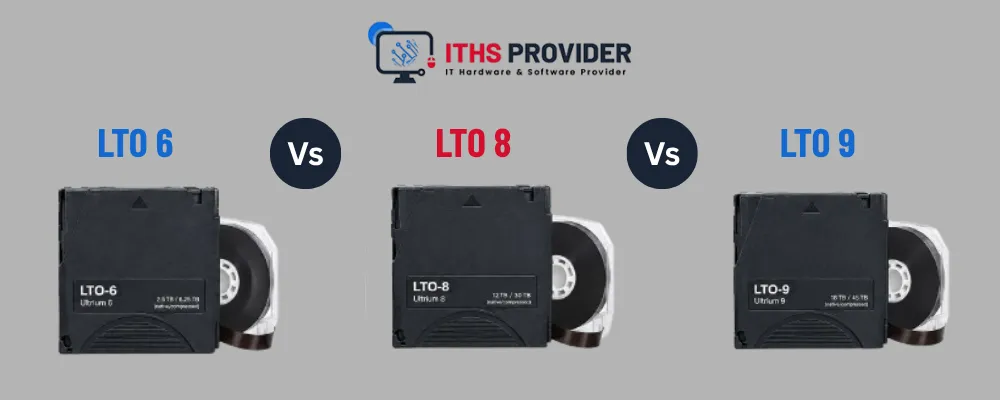
Choosing between LTO-6, LTO-8, and LTO-9 is not simply a matter of selecting the newest tape generation. The decision affects backup capacity, transfer speed, hardware compatibility, restore times, archive access, and the total cost of managing business data over several years.
LTO-6, LTO-8, and LTO-9 can all be used for business backup and long-term data storage, but they suit different situations. LTO-6 is mainly relevant to existing systems and older archives. LTO-8 offers a significant improvement in capacity and speed, while LTO-9 is generally the strongest option for a new, high-capacity deployment.
Before choosing a tape drive or tape library, review your current media, data growth, backup software, retention requirements, recovery targets, and budget. A newer LTO generation may offer better capacity, but it may not read older cartridges from your existing archive.
This guide compares LTO-6, LTO-8, and LTO-9 by capacity, speed, compatibility, cost, backup use cases, and ransomware resilience. Businesses that need help planning backup infrastructure, archive migration, or disaster recovery can contact ITHS Provider for guidance.
Quick answer
- LTO-6: Best for accessing existing LTO-6 archives or continuing a reliable legacy system.
- LTO-8: A practical middle option for businesses that need more capacity without choosing the newest generation.
- LTO-9: Usually the best choice for new, high-capacity deployments.
- Hybrid backup: Often the most practical approach when you need convenient recovery and an offline copy.
LTO-6 vs LTO-8 vs LTO-9 comparison
Compressed capacity depends on the data. Already-compressed or encrypted files may achieve little additional compression, so native capacity is safer for planning.
What is LTO tape?
LTO stands for Linear Tape-Open. It is a magnetic tape storage format used for data backup, disaster recovery, and long-term archiving.
A typical LTO system includes:
- A tape drive or tape library
- LTO cartridges
- Backup software
- A catalog of stored data
- Procedures for encryption, labeling, storage, and restoration
Tape uses sequential access. The drive may need to move along the tape before it reaches a particular file, which can make individual file recovery slower than disk or cloud recovery. The benefit is high capacity, low power use while stored, and the ability to disconnect cartridges from the network.
The LTO Program provides additional information about LTO technology and its generations.
LTO-6: A practical option for existing archives
LTO-6 stores up to 2.5 TB natively per cartridge and provides native transfer speeds of up to 160 MB/s.
It can still be useful when a business already owns LTO-6 equipment and has a collection of LTO-6 tapes that must remain accessible. Replacing the entire system may not be necessary if the equipment is reliable, the media is in good condition, and restore tests are successful.
LTO-6 advantages
- Keeps existing LTO-6 archives accessible
- Avoids an immediate infrastructure replacement
- Supports offline and offsite storage
- Works well for stable or smaller backup collections
LTO-6 limitations
- Lower capacity than LTO-8 and LTO-9
- Slower backup and restore performance
- Requires more cartridges for large data sets
- Older drives may be harder to replace
- Long-term support and migration require planning
For most businesses, LTO-6 makes more sense as part of an existing environment than as the starting point for a new system.
LTO-8: A balanced upgrade option
LTO-8 provides 12 TB of native capacity per cartridge and transfer speeds of up to 300 MB/s. That is a major improvement over LTO-6 and can reduce the number of cartridges needed for the same backup set.
LTO-8 may suit a business that wants:
- More capacity than LTO-6
- Faster backup performance
- Fewer cartridges to manage
- A proven tape backup platform
- A balance between investment and storage capacity
The main issue is compatibility. An LTO-8 drive does not normally read LTO-6 cartridges. If your existing archives are important, you will need to keep compatible LTO-6 equipment available or migrate those archives before retiring the older system.
LTO-9: The strongest option for new deployments
LTO-9 stores up to 18 TB natively per cartridge and reaches native transfer speeds of up to 400 MB/s. It offers the highest capacity and speed among the three generations covered here.
That makes LTO-9 a strong fit for:
- Large backup environments
- Rapidly growing data collections
- Enterprise tape backup
- Long-term data archiving
- Media and research data
- Organizations that want to reduce cartridge handling
LTO-9 advantages
- Highest native capacity in this comparison
- Fastest native transfer speed
- Fewer cartridges for large backup sets
- Better suited to future data growth
- Supports offline and air-gapped backup designs
LTO-9 limitations
- Drives and cartridges generally cost more
- Does not normally read LTO-6 media
- May require updated backup software
- Needs a clear plan for older archive migration
If you are building a new LTO system and expect your data to grow, LTO-9 is usually the most future-ready choice.
LTO-6 vs LTO-8 vs LTO-9: Main differences
Capacity
Capacity is the biggest practical difference:
- LTO-6: 2.5 TB native
- LTO-8: 12 TB native
- LTO-9: 18 TB native
Higher capacity means fewer cartridges for the same amount of data. This can simplify labeling, transportation, offsite storage, and inventory management.
However, fewer cartridges also mean that each cartridge may contain more important information. Maintain accurate catalogs and test restores regularly so a single media problem does not create an unexpected recovery issue.
Businesses reviewing their storage requirements can compare available data storage solutions alongside their expected data growth.
Transfer speed
Native transfer speed affects how quickly data can be written to or read from a cartridge:
- LTO-6: up to 160 MB/s
- LTO-8: up to 300 MB/s
- LTO-9: up to 400 MB/s
Real-world performance can be lower. The tape drive is only one part of the process. Backup speed may also depend on:
- Source storage performance
- Network bandwidth
- File sizes
- Backup software
- Compression
- Encryption
- Deduplication
- Concurrent backup jobs
Before upgrading, measure how quickly your current systems can supply data to the tape drive.
Compatibility
Compatibility deserves close attention because newer LTO drives do not read every older tape generation.
For these three generations:
- LTO-6 drives read LTO-5 and LTO-6 media.
- LTO-8 drives read and write LTO-7 and LTO-8 media.
- LTO-9 drives read and write LTO-8 and LTO-9 media.
An LTO-9 drive cannot normally read LTO-6 cartridges. If your business is moving from LTO-6 to LTO-8 or LTO-9, check your archive requirements before retiring older equipment.
A sensible migration plan should include:
- An inventory of existing cartridges
- A list of records that must be retained
- Restore testing before equipment is retired
- Migration of important archives
- Preservation of catalogs and encryption keys
- Written recovery instructions
Cost
The cheapest cartridge is not necessarily the cheapest solution over time.
A realistic total cost of ownership (TCO) calculation should include:
- Tape drives
- Tape libraries
- Cartridges
- Backup software
- Maintenance
- Cleaning media
- Offsite storage
- Transportation
- Staff time
- Restore testing
- Media migration
- Hardware replacement
LTO-6 may have the lowest immediate cost if you already own working equipment. LTO-8 can offer a middle ground. LTO-9 generally requires a larger initial investment, but its higher capacity may reduce cartridge handling and storage costs as your data grows.
Offline backup and ransomware protection
LTO is valuable because cartridges can be removed from the production network. Once a cartridge is disconnected and stored securely, ransomware attacking connected systems cannot normally access it.
This makes LTO useful for an offline backup or air-gapped backup strategy.
For better protection:
- Encrypt sensitive media.
- Limit physical access.
- Store selected cartridges offsite.
- Keep a detailed media inventory.
- Protect and back up encryption keys.
- Use separate backup administrator accounts.
- Test the restore process regularly.
The CISA StopRansomware guidance includes recommendations for improving backup and recovery readiness.
LTO is not secure by default. A tape library that remains connected to the network may still be affected by compromised credentials or malicious software.
How LTO supports the 3-2-1 backup strategy
The 3-2-1 backup strategy means keeping three copies of important data on two different types of storage, with one copy stored offsite.
A business could use:
- Production data on its primary systems
- A disk or cloud backup for convenient recovery
- An encrypted LTO cartridge stored offline and offsite
This setup gives the business more than one recovery option. Online backup may be useful for recently deleted files or failed systems, while an offline LTO copy can remain available if ransomware reaches connected systems.
A strong plan should also define:
- Recovery point objective (RPO): How much recent data the business can afford to lose
- Recovery time objective (RTO): How quickly systems must be restored
The NIST Contingency Planning Guide provides useful guidance for wider disaster recovery planning.
LTO tape or cloud backup?
LTO and cloud backup are not identical solutions. Each is better suited to particular situations.
For many businesses, the most dependable approach is to use both. Cloud or disk backup can support everyday recovery, while LTO can provide an encrypted, offline copy for long-term retention and disaster recovery.
You can review available backup services when comparing a tape-only or hybrid backup design.
Which LTO generation should you choose?
Choose LTO-6 if:
- You already have reliable LTO-6 hardware.
- You need access to existing LTO-6 archives.
- Your data volume is stable.
- You have tested media and a working restore process.
Choose LTO-8 if:
- You need a significant upgrade from LTO-6.
- Your data growth is moderate.
- You want a balance between cost and capacity.
- Compatible LTO-8 equipment is available.
- You can address the migration of older LTO-6 archives.
Choose LTO-9 if:
- You are building a new tape backup system.
- Your data volume is large or growing quickly.
- You want fewer cartridges.
- You need the highest capacity and speed of these three options.
- You are planning long-term data archiving.
Frequently Asked Questions
Final Recommendation
For most new deployments, LTO-9 is the best choice among LTO-6, LTO-8, and LTO-9. It offers the highest native capacity and fastest native transfer speed, making it well suited to large and growing data collections.
LTO-8 remains a good middle option for businesses that want a significant improvement over LTO-6 without choosing the newest platform. LTO-6 is mainly appropriate for existing systems and archives that still depend on compatible hardware.
Before making a purchase, check:
- Existing media compatibility
- Backup software support
- Data growth
- Retention requirements
- RPO and RTO targets
- Three- to five-year costs
- Encryption and key recovery
- Offsite storage
- Restore testing
If you need help reviewing IT support, backup infrastructure, or archive migration, contact ITHS Provider to discuss your requirements.
Need Help Choosing the Right LTO Backup Solution?ITHS Provider can help you select the right LTO tape generation and plan your backup infrastructure, archive migration, and disaster recovery. |

Leave a Reply
Your email address cannot be published. Required fields are marked*


Information
Customer Service
My Account
©2026 ITHS Provider (A Project of Mehta Corp.) - All Rights Reserved.

No comments