

Your shopping cart is empty!
 Call us: +1-(437)-290-7537
Refurbished Network Equipment: Cost Savings, Reliability, and What to Consider
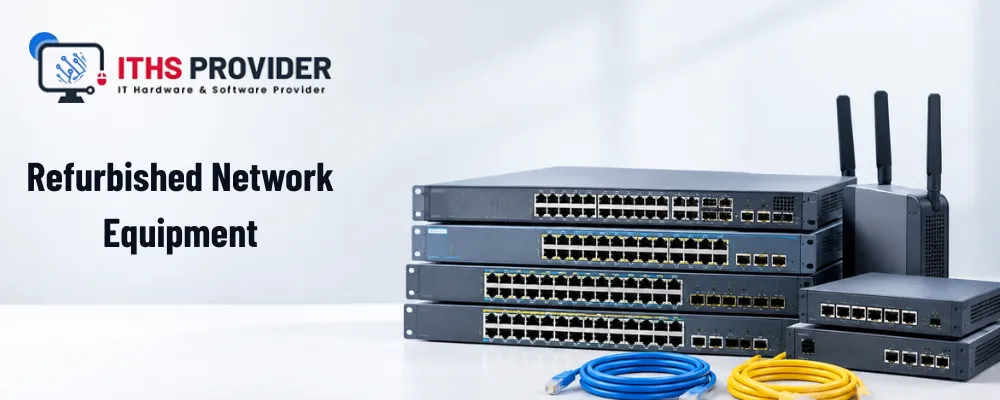
A business network does not become more reliable simply because every device is new.
In many environments, an older router, switch, firewall, or wireless access point can continue to perform well for years. If the equipment is properly inspected, tested, securely configured, and supported with the right components, refurbished network equipment can be a sensible option for businesses that want to control spending without compromising essential connectivity.
Refurbished equipment may help a company replace a failed device, expand an existing network, or complete an upgrade at a lower initial cost. However, the purchase should not be based on price alone. Condition, compatibility, firmware support, software licensing, security, warranty protection, energy use, and expected service life all affect the real value of the equipment.
The important question is not simply whether refurbished equipment is cheaper. It is whether the equipment can meet the organization’s requirements reliably and securely for as long as it is needed.
For help with business technology and network infrastructure, visit the ITHS Provider homepage.
Table of Contents
What is refurbished network equipment?
Refurbished network equipment is hardware that has previously been owned, installed, or held as surplus and has been prepared for further use.
The preparation process may include inspection, cleaning, functional testing, repair, configuration removal, firmware checks, and cosmetic grading. The exact process varies between suppliers, so buyers should ask what has been completed before placing an order.
This is different from ordinary used network equipment. Used equipment may be sold in its existing condition with little information about its previous use. Refurbished equipment should provide clearer details about its condition, testing, included components, and warranty or return arrangements.
The category may include routers, network switches, firewalls, wireless access points, power supplies, transceivers, and expansion modules.
Why businesses consider refurbished equipment
The main reason businesses consider refurbished equipment is cost. A refurbished product may offer the required capacity and features at a lower price than a comparable new model.
This can help when a business needs to replace a failed device, expand an existing installation, match equipment already in use, or complete an upgrade within a fixed budget.
Availability can also influence the decision. A suitable refurbished device may be available sooner than a new product, particularly when manufacturers have long delivery schedules. In a time-sensitive situation, this can support business continuity and contribute to downtime reduction.
Compatibility is another consideration. A business may already have staff, configuration templates, management tools, and replacement components for a particular product family. Replacing a failed device with a compatible refurbished model may be more practical than redesigning the whole network.
These benefits are worthwhile only when the equipment has been properly assessed. A lower price does not compensate for poor reliability, limited support, or missing components.
Cost savings and total cost of ownership
The purchase price is only one part of the financial decision. The total cost of ownership includes the costs of deploying, operating, supporting, maintaining, and retiring equipment.
Use this formula:
Total Cost of Ownership = Purchase Price + Deployment Costs + Support Costs + Maintenance Costs + Downtime Costs + Retirement Costs
Deployment costs may include installation, configuration, testing, licenses, cabling, and staff time. Ongoing expenses may include maintenance costs, firmware support, replacement components, energy consumption, technical assistance, and repairs.
If a failure interrupts business operations, the resulting downtime may cost considerably more than the equipment itself.
For example, a refurbished switch may seem inexpensive until the business discovers that it needs an additional power supply, a licensed feature, replacement fans, or specialist configuration. A slightly more expensive product with the required components and stronger support may provide better value over its useful life.
Businesses should compare the complete ownership cost rather than relying only on the price shown in a quotation. This is particularly important when calculating long-term IT infrastructure costs.
Reliability depends on condition and testing
Refurbished equipment can be reliable, but reliability should be supported by evidence rather than appearance.
A device may look clean and still have worn fans, unstable power, damaged connectors, or failed ports. Its previous operating environment may also have affected its condition. Equipment used in a clean data center may have experienced less stress than hardware exposed to dust, heat, unstable power, or heavy traffic.
A suitable device testing process should reflect the equipment’s intended use.
For network switches, testing may include power stability, management access, uplink operation, PoE output, fan condition, and all network ports. Port testing is important because one failed port can affect a customer’s network design.
For routers, check interfaces, configuration access, memory, storage, firmware, and reset procedures. For firewalls, review interface operation, management access, security functions, licensing, and support status. Wireless access points should be checked for radio performance, antenna condition, power, controller compatibility, and supported wireless standards.
The supplier should be able to explain which tests were completed. A statement that equipment was “checked” does not show how thoroughly it was assessed.
Product type affects the buying decision
Different types of equipment require different checks.
Routers
Routers direct traffic between offices, networks, cloud services, and remote users. When considering refurbished routers, check throughput, interface types, VPN support, firmware, licenses, security features, and compatibility with the existing network design.
A refurbished router may be suitable for a branch office or replacement project. It may be less suitable as the central device in a critical network if it has limited support or cannot receive current security updates.
Network switches
Network switches should be reviewed for port count, port speed, uplink capacity, PoE requirements, management features, and power availability.
Check whether the required power supplies, rack hardware, uplink modules, and licenses are included. A switch without an essential component may not provide the saving expected.
Firewalls
Firewalls require particular attention because security features may depend on subscriptions, software licenses, cloud accounts, or manufacturer support.
A firewall may continue to operate after its subscription has expired, but that does not make it a suitable long-term security solution. Confirm its licensing, firmware, security updates, and support status before purchase.
Wireless access points
Wireless access points must be compatible with the customer’s wireless controller or management platform. Review supported wireless standards, radio condition, antennas, power requirements, firmware, and management options.
An access point that works independently may not be suitable for a centrally managed wireless network.
Compatibility matters more than age
An older product is not necessarily unsuitable, but it must work with the environment in which it will be installed.
Before purchasing, compare the proposed equipment with the customer’s existing network. Check the exact model and revision, firmware, management system, power requirements, transceivers, licenses, cabling, and expected traffic.
Customer requirements should guide the decision. A small office, warehouse, school, branch location, and data center may all need different equipment, even when they use the same product category.
Pay close attention to transceivers and power supplies. Fiber modules can vary by speed, connector, distance, and compatibility. Power requirements may also differ between similar models.
A compatibility check is usually far less expensive than correcting an installation problem after delivery.
Firmware and software licensing
A refurbished device may function correctly while still presenting a support or security issue.
Check whether the manufacturer continues to provide firmware updates for the exact model and revision. Confirm whether security fixes remain available and whether the device requires an active subscription.
Software licensing can control features such as advanced firewall protection, centralized management, reporting, or cloud administration. Licenses do not always transfer with the hardware.
Do not assume that a feature shown in product documentation is included with a refurbished device. Confirm the license status and any renewal requirements before purchase.
Official manufacturer documentation can help verify product specifications and support status. For Cisco equipment, the Cisco Support and Downloads portal is a useful reference. For other manufacturers, use the official support page for the exact product and model.
Network security and data security
Network devices may retain administrator accounts, certificates, VPN settings, configuration files, logs, and other sensitive information.
Before deployment, the previous configuration should be removed. A factory reset may be part of that process, but the correct procedure depends on the manufacturer and model.
A factory reset does not necessarily remove every form of stored information. If the device contains internal storage, an appropriate secure data erasure process may also be required.
After the equipment has been cleared, the business should apply its own configuration, change credentials, restrict management access, review remote administration, and install supported firmware.
These steps help protect data security and network security. The NIST Cybersecurity Framework provides a recognized structure for managing cybersecurity risk. The CIS Critical Security Controls also provide practical guidance on asset inventory, secure configuration, access control, and vulnerability management.
Energy efficiency and operating costs
Older equipment may have a lower purchase price but use more electricity than newer products. This can matter in server rooms and data centers, where equipment operates continuously and cooling also consumes energy.
When considering energy efficiency, review the device’s power draw, power-supply rating, cooling requirements, expected workload, and the number of units needed to provide the required capacity.
A newer device is not automatically the most efficient choice. If a less capable product requires several units to support the workload, its total energy use may be higher than that of one suitable refurbished device.
Energy consumption should therefore be assessed as part of the total ownership cost.
Warranty coverage and return policy
A warranty provides protection if equipment fails, but the value of that protection depends on its terms.
Review the warranty coverage, including the length of protection, covered components, repair process, replacement arrangements, shipping responsibilities, and exclusions.
The supplier’s return policy should also be clear. Confirm the return period, condition requirements, restocking charges, testing fees, and the procedure for reporting a fault.
A short return period may be acceptable for low-risk equipment, but critical network hardware deserves stronger protection. The warranty should reflect the equipment’s importance to the business.
Buyers should also confirm whether the supplier offers replacement stock or repair support if a device fails shortly after installation.
Supplier quality, availability, and delivery
The supplier’s processes have a direct effect on the quality of refurbished equipment. During supplier evaluation, ask where the products come from, how they are inspected, how condition is graded, and whether serial numbers and configuration status are recorded.
Confirm product availability, the quantity in stock, and the expected delivery time. Refurbished products may be available in limited quantities, and matching units may not remain in stock for long.
This matters when a business needs several identical devices. Before considering bulk purchasing, confirm that all units have consistent specifications, condition grades, accessories, firmware, and warranty terms.
Buying a large quantity at a lower unit price is not a saving if some units cannot be deployed or supported.
Maintenance, spare parts, and repair costs
The remaining service life of refurbished equipment partly depends on whether it can be maintained.
Check the availability of spare parts, including power supplies, fans, antennas, modules, and mounting hardware. Also consider likely repair costs and whether qualified technicians can service the equipment.
Planned network equipment maintenance may include firmware updates, configuration backups, performance monitoring, cleaning, and replacement of worn components.
A product with accessible components and an active support community may remain practical for years. A device that depends on rare parts or discontinued software may become expensive to keep operational.
Hardware deployment and asset tracking
Before installation, the equipment should be inspected, recorded, configured, and tested. Hardware deployment should include verifying the model, serial number, accessories, firmware, license status, configuration, and security settings.
For larger installations, testing a sample before deploying all units can identify compatibility problems early.
Once installed, record the equipment in the organization’s network hardware inventory. Include the model, revision, serial number, location, assigned owner, firmware, warranty, condition, and planned replacement date.
Asset tracking makes it easier to manage support, process warranty claims, plan replacements, and respond to security incidents.
Device lifecycle and responsible recycling
The device lifecycle continues from purchase and deployment through maintenance, reassignment, replacement, and retirement.
Refurbishment can extend the useful life of network hardware and reduce the need for immediate replacement. The remaining support period still matters, however. Before selecting older equipment, consider firmware availability, spare parts, compatibility, energy use, expected workload, and the customer’s intended service period.
When equipment reaches the end of its useful life, remove configurations and handle stored information securely. Network equipment recycling should be completed through a responsible provider rather than sending electronic hardware to general waste.
The U.S. Environmental Protection Agency’s electronics recycling guidance provides information about donation and recycling options. Businesses outside the United States should also follow the requirements of their local authority for electronic waste recycling.
Responsible disposal can reduce waste while helping ensure that retired hardware does not expose business information.
Comparing refurbished network equipment
| Factor | What to review | Why it matters |
|---|---|---|
| Cost | Purchase, deployment, support, maintenance, energy, repair, and retirement costs | Shows the total cost of ownership |
| Condition | Inspection results, device testing, port testing, cosmetic grade, and fault history | Provides evidence of reliability |
| Compatibility | Model revision, firmware, licenses, transceivers, power supplies, and management systems | Helps prevent installation problems |
| Security | Factory reset, secure data erasure, firmware support, and administrator access | Protects network and business information |
| Warranty | Warranty coverage, return policy, repair process, replacement terms, and shipping | Limits financial and operational risk |
| Availability | Quantity in stock and delivery time | Helps keep projects on schedule |
| Lifecycle | Firmware updates, spare parts, manufacturer support, and expected service period | Shows whether the equipment remains practical |
Frequently Asked Questions
Final Thoughts
Refurbished network equipment can provide genuine value when it is selected on evidence rather than price alone.
Businesses should review the equipment’s condition, testing, compatibility, firmware, software licensing, security, energy use, warranty, maintenance requirements, spare parts, and expected service life.
A refurbished router, switch, firewall, or wireless access point may be a sensible choice when it meets the customer’s requirements and can be supported confidently. It may be a poor choice when updates, licenses, components, or warranty arrangements are unclear.
The most reliable approach is to compare the complete cost and risk of each option. With proper assessment and honest product information, refurbishment can reduce IT infrastructure costs while helping businesses maintain a dependable network.
-160x160.webp)
Leave a Reply
Your email address cannot be published. Required fields are marked*


Information
Customer Service
My Account
©2026 ITHS Provider (A Project of Mehta Corp.) - All Rights Reserved.

No comments