

Your shopping cart is empty!
 Call us: +1-(437)-290-7537
How IT Resellers Can Source Reliable Refurbished Networking Equipment
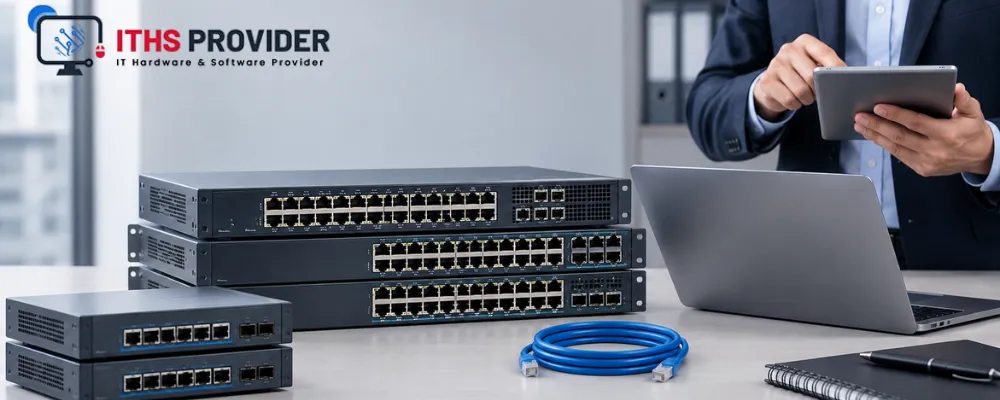
For an IT reseller, selling refurbished networking equipment is not simply a matter of finding inexpensive stock and adding a margin.
Customers expect the equipment to work with their existing network, support their required applications, remain secure, and perform reliably after installation. If a device arrives with missing components, outdated firmware, restricted licensing, or a faulty port, the reseller may face returns, support costs, and reputational damage.
That is why successful sourcing depends on more than price. Resellers need to understand customer requirements, evaluate suppliers, test equipment, confirm compatibility, review warranty terms, and calculate the real cost of supplying each product.
This guide explains how to source and resell refurbished networking equipment with greater confidence.
For help with networking hardware, infrastructure planning, or technical support, visit the ITHS Provider homepage.
Table of Contents
What counts as refurbished networking equipment?
Refurbished networking equipment includes previously owned or deployed devices that have been inspected, tested, cleaned, reset, repaired where necessary, and prepared for resale.
The category may include:
- Routers
- Network switches
- Firewalls
- Wireless access points
- Transceivers
- Power supplies
- Expansion modules
- Network management appliances
The term “refurbished” should describe a clear preparation process. It should not replace “used” when the equipment has not been inspected or tested.
Used networking equipment may be sold with little information about its previous ownership or condition. Professionally refurbished network equipment should have a documented condition, testing process, configuration status, and warranty or return arrangement.
A reseller should be able to explain the difference clearly to its customers.
Begin with customer requirements
The most reliable sourcing decisions begin with the customer’s network rather than the supplier’s catalogue.
A small office may need a managed switch and a few wireless access points. A branch office may need routers that support a specific VPN design. A larger customer may require enterprise networking equipment with VLAN support, Power over Ethernet, redundant power, centralized management, or advanced firewall features.
Before sourcing a product, understand the customer’s requirements. Consider the number of users and connected devices, required port speeds, wireless coverage, power requirements, security controls, available rack space, existing equipment, and expected growth.
Compatibility with current hardware is particularly important. A device may function correctly but still be unsuitable because it requires a different controller, license, transceiver, firmware version, or power supply.
A product should be sourced only after the reseller understands how it will be used and what the customer expects it to do.
Why businesses choose refurbished equipment
Businesses often consider refurbished networking equipment because it can reduce the initial cost of an upgrade, replacement, or expansion project.
It may also be useful when:
- A customer needs to match an existing installation
- New equipment has a long delivery time
- A particular model is no longer available as new
- The required performance does not justify a new product
- The customer wants to control capital expenditure
These benefits depend on the condition and supportability of the equipment. A professionally tested product from a dependable supplier is very different from an unverified device sold without a clear history.
The reseller’s role is to determine whether the equipment is genuinely suitable, not simply whether it is available at a low price.
Evaluate the supplier before placing an order
A supplier can have a greater effect on resale success than the product itself. During supplier evaluation, ask where the equipment came from, how it was tested, whether serial numbers are recorded, and whether the device has been removed from any previous management account.
The supplier should provide clear information about:
- Exact model and revision
- Condition and product grading
- Testing completed
- Included accessories
- Product availability
- Firmware status
- Licensing requirements
- Warranty terms
- Return policy
- Expected delivery date
Product availability should be confirmed rather than assumed. Online listings may not reflect actual stock, available quantities, or realistic delivery times. This is especially important when a reseller has already promised equipment to a customer.
Keep records of delivery accuracy, product faults, warranty claims, return rates, and support response times. This makes future supplier evaluation based on evidence rather than impressions.
A supplier with a slightly higher price may be the better choice if its products are accurately described, properly tested, and supported after delivery.
Inspect and test every device
A reseller should not rely entirely on a supplier’s description. Every incoming product should pass a documented device testing process before it is approved for resale.
The testing should match the device type. For network switches, check port operation, link negotiation, PoE delivery, console access, management access, power stability, fans, and uplink modules. Port testing is essential because one failed port can affect the customer’s network design.
For routers, test the interfaces, configuration access, memory, storage, firmware, licenses, and reset process. For firewalls, check interface operation, management access, subscription requirements, firmware support, and account-transfer restrictions. For a full comparison of firewall platforms, read our firewall buying guide for Fortinet, Cisco, and Juniper.
Wireless access points should be checked for radio operation, antenna condition, power, controller compatibility, and supported wireless standards. Transceivers should be tested for the required speed, fiber type, distance, and device compatibility.
Testing does not need to make refurbished equipment identical to a new product. It must confirm that the equipment performs as described and is appropriate for the proposed installation.
Pay attention to accessories and replacement components
Missing components can turn a profitable purchase into an expensive one.
Before buying, confirm whether the product includes the required power supplies, rack brackets, cables, mounting hardware, expansion modules, licenses, and transceivers. Check whether these components are original, compatible, or optional.
The availability of spare parts also affects the product’s practical value. Power supplies, fans, antennas, modules, and mounting hardware may be difficult or expensive to replace for older models.
A product that is inexpensive but impossible to repair may create more risk than value. Resellers should consider component availability before purchasing in bulk.
Check firmware, licensing, and manufacturer support
A device can power on and still be unsuitable for a customer because of outdated firmware or restricted licensing.
Before purchasing, check the latest available firmware updates, the product’s support status, and any subscription requirements. Confirm whether advanced features depend on a license and whether that license transfers to the new owner.
It is also important to check whether the exact model is approaching end-of-sale or end-of-support. Manufacturer support can vary between models and revisions, so a product family name is not enough.
Manufacturer documentation and support portals, such as Cisco Product Support and Downloads, can help verify technical details and support information. The same principle applies to products from other manufacturers: check the exact model, part number, revision, and licensing conditions.
If a product has limited remaining support, explain that to the customer. It may still be appropriate for a short-term replacement or a non-critical location, but it may not be suitable for a long-term core network deployment.
Reset previous configurations securely
Networking devices may retain configuration files, administrator credentials, certificates, VPN details, logs, and other sensitive information.
Before resale, equipment should be removed from any previous management platform and returned to a clean state. A factory reset may be required, but the correct procedure differs between manufacturers and models.
A factory reset does not always remove every form of stored information. Where a product contains storage, follow an appropriate secure data erasure process and record that it was completed.
The reseller should also confirm that the device is not locked to a previous customer account, reported as stolen, or restricted from transfer. These checks protect the reseller and the customer receiving the equipment.
The NIST Cybersecurity Framework provides guidance for managing cybersecurity risk. The NIST Cybersecurity Supply Chain Risk Management Practices are useful when reviewing supplier and supply chain concerns. The CIS Critical Security Controls provide practical guidance on asset inventory, secure configurations, access control, and vulnerability management.
Make warranty and return terms clear
Warranty terms are part of the product’s value. They define what happens if a device fails after purchase.
Review the network equipment warranty and refurbished equipment warranty carefully. Confirm the coverage period, covered components, repair process, replacement terms, shipping responsibilities, exclusions, and response times.
The return policy should also be clear. Check the return period, condition requirements, restocking charges, testing fees, and responsibility for return shipping.
A reseller should understand how the supplier’s warranty relates to the warranty offered to its own customer. If the supplier offers limited coverage but the reseller promises longer protection, the reseller must account for that additional risk.
Clear warranty and return terms reduce disputes and make the reseller’s proposal more professional.
Calculate the total cost of ownership
The supplier’s invoice is not the complete cost of supplying refurbished equipment. The total cost of ownership may include purchasing, shipping, inspection, testing, configuration, storage, support, warranty administration, returns, and replacement stock.
Use this formula:
Total Cost of Ownership = Purchase Price + Testing Costs + Configuration Costs + Storage Costs + Shipping Costs + Support Costs + Warranty Costs
This calculation helps the reseller set realistic network equipment pricing and protect its margin.
For example, a low-priced switch may require additional power supplies, replacement fans, extensive testing, and more customer support. A slightly more expensive unit that arrives complete, passes testing, and includes stronger warranty terms may produce a better commercial result.
Manage inventory and bulk purchases carefully
Refurbished stock is often less consistent than new stock. A supplier may have several units available today but none later. Model revisions, condition grades, firmware versions, and included accessories may also vary.
A reliable network hardware inventory record should include the model, revision, serial number, supplier, purchase price, condition, included components, firmware version, testing status, warranty expiry, storage location, and customer assignment.
Bulk purchasing can reduce the unit cost, but it also ties up capital and creates inventory risk. Buy in volume only when there is credible customer demand or when the products are standard, supportable, and likely to remain useful.
Stock that cannot be matched, supported, or sold within a reasonable period can reduce cash flow and lose value.
Plan for the equipment lifecycle
The network equipment lifecycle continues from acquisition through testing, resale, customer deployment, maintenance, replacement, and retirement.
Network equipment maintenance may include firmware updates, configuration backups, performance monitoring, hardware inspections, and replacement of fans, power supplies, or other components.
Before recommending older equipment, consider its remaining support period, firmware availability, compatibility, energy use, spare parts, and expected customer service life.
An older product may be suitable for a temporary project, branch office, or non-critical environment. It may be unsuitable for a customer that expects many years of manufacturer support and minimal maintenance.
This distinction is important when building network infrastructure solutions. The solution should fit the customer’s budget, but it should also remain practical to operate and support.
Write an accurate customer proposal
A professional proposal should make the condition and scope of the equipment clear.
Describe the exact model and part number, condition, included accessories, firmware status, license status, testing completed, warranty period, delivery timeframe, configuration services, and any customer responsibilities.
Do not describe refurbished equipment as new. Do not promise manufacturer support unless it has been confirmed. Do not hide missing components or known limitations.
Customers are more likely to trust a reseller that explains the equipment honestly. Clear descriptions also reduce returns, misunderstandings, and support disputes.
Comparing Refurbished Networking Equipment Before Resale
| Sourcing Factor | What to Verify | Why It Matters |
|---|---|---|
| Supplier | Source, testing process, product availability, delivery record, and support | Reduces purchasing and service risk |
| Condition | Product grade, port testing, power supplies, accessories, and component status | Supports accurate product descriptions |
| Compatibility | Model revision, firmware, licenses, transceivers, controllers, and existing systems | Helps prevent installation problems |
| Security | Factory reset, configuration removal, firmware status, and secure data erasure | Protects customer networks and information |
| Warranty | Coverage period, return policy, repair process, replacement terms, and shipping | Protects the reseller and customer |
| Lifecycle | End-of-support status, spare parts, firmware updates, and expected service period | Shows whether the product remains suitable |
| Cost | Purchase, testing, configuration, storage, shipping, support, and warranty costs | Helps establish sustainable pricing |
Common sourcing mistakes
The most common mistake is buying based only on price. A cheap device with missing accessories, restricted licensing, or poor testing can create higher costs through returns and support.
Another mistake is assuming that products from the same family are automatically compatible. Model revisions, firmware versions, licenses, power requirements, and controller dependencies can all affect an installation.
Resellers should also avoid stocking more equipment than customer demand supports. Refurbished inventory can lose value when it becomes difficult to match, support, or sell.
Finally, avoid making claims about support, security, or condition that have not been verified. Accurate information is better for the reseller and the customer.
Frequently Asked Questions
Final Thoughts
Refurbished networking equipment can help IT resellers serve budget-conscious customers, complete replacement projects, and provide capable hardware at a lower initial cost.
The opportunity depends on disciplined sourcing. Resellers need to understand customer requirements, assess suppliers, inspect and test equipment, verify compatibility, review firmware and licensing, calculate the total cost of ownership, and explain warranty terms honestly.
The strongest reseller is not the one that finds the cheapest stock. It is the one that can confidently explain what the equipment is, what has been tested, which limitations apply, how long it is likely to remain useful, and what support the customer will receive.
-160x160.webp)
Leave a Reply
Your email address cannot be published. Required fields are marked*


Information
Customer Service
My Account
©2026 ITHS Provider (A Project of Mehta Corp.) - All Rights Reserved.

No comments