

Your shopping cart is empty!
 Call us: +1-(437)-290-7537
Enterprise Data Storage: A Guide to Choosing the Right Solution
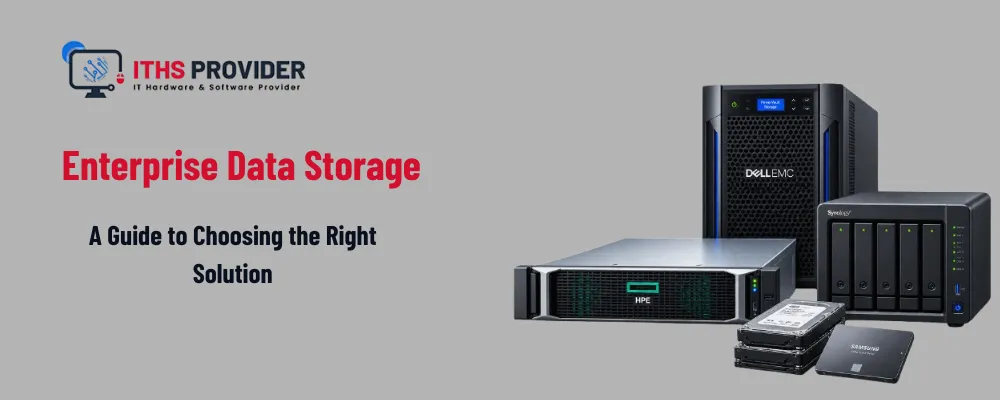
Business data is growing every day. Customer records, financial documents, applications, emails, databases, and operational files all need a secure and reliable place to live.
Choosing enterprise data storage is not simply about buying more capacity. The right solution should support your applications, protect sensitive information, allow room for growth, and help your business recover when something goes wrong.
Some organizations need fast local storage for databases and business applications. Others prefer cloud storage for remote access, backup, or archiving. Many businesses use a hybrid approach that combines both.
This guide from ITHS Provider explains the main storage options and the key factors to consider before choosing a solution.
Table of Contents
What Is Enterprise Data Storage?
Enterprise data storage is the infrastructure a business uses to store, manage, protect, and access its information.
It may include local storage servers, solid-state drives, hard disk systems, network-attached storage, storage area networks, cloud platforms, object storage, backup repositories, tape libraries, and storage management software.
Unlike basic file storage, enterprise storage is designed around business requirements such as performance, availability, access control, security, scalability, and recovery. A suitable system should meet current requirements while leaving enough room for future data growth.
Why the Right Storage Solution Matters
Storage affects much more than where files are saved. It can influence application performance, business continuity, security, compliance, and operating costs.
A well-planned storage environment helps employees access information reliably, keeps important applications available, supports backup and disaster recovery, and reduces the risk of data loss. It can also help a business meet retention requirements and control access to confidential information.
A poorly planned system may create slow applications, storage bottlenecks, difficult backups, security gaps, and expensive emergency upgrades.
Common Types of Enterprise Storage
Different workloads need different storage technologies. The main options are file, block, and object storage.
File Storage
File storage organizes information into folders and files. Users and applications access data through familiar file paths and permissions.
It is commonly used for shared business documents, department folders, project files, user directories, and media files. File storage is easy for most employees to understand, but its performance and scalability depend on the system behind it.
Block Storage
Block storage divides data into fixed-size blocks and presents it to servers as logical volumes. It is often used when applications need consistent, low-latency access.
Databases, virtual machines, transaction systems, and other demanding enterprise applications commonly use block storage. It can provide strong performance, although it may require more specialist administration than a standard file server.
Object Storage
Object storage saves data as objects together with descriptive metadata. It is designed for large amounts of unstructured information and can scale across distributed systems.
It is often used for backups, archives, images, videos, log files, research data, and application-generated content. Object storage is useful when capacity and durability matter more than traditional folder-based access.
Network-Attached Storage
Network-attached storage, or NAS, provides file-based storage over a network. It can be useful for shared files, backup repositories, departmental storage, and smaller business environments.
NAS systems vary considerably. Some support only basic file sharing, while others include snapshots, replication, access controls, virtualization support, and integration with business applications.
On-Premises, Cloud, or Hybrid Storage?
The deployment model is just as important as the storage type.
On-Premises Storage
On-premises storage is installed and managed at the organization’s own location or data center. It gives the business direct control over hardware, access, and data location. It can also provide fast local access and predictable performance for stable, high-volume workloads.
The trade-off is responsibility. The organization must purchase, maintain, secure, monitor, and replace the hardware. It must also plan for power, cooling, physical security, spare components, and protection against site-level incidents.
On-premises storage can be a good fit when a business has suitable facilities, a predictable workload, and the technical resources to operate the environment.
Cloud Storage
Cloud storage is hosted and managed by a service provider. Businesses generally pay according to capacity, usage, performance, or selected features.
Cloud storage can be deployed quickly and expanded more easily than many local systems. It can also support remote teams, distributed offices, cloud applications, backup, and archiving.
However, recurring charges, internet dependency, data transfer fees, retrieval costs, provider terms, and data location all need to be reviewed before choosing a service. When comparing data storage solutions, check how the provider handles security, availability, retention, recovery, and data export.
Hybrid Cloud Storage
Hybrid cloud storage combines local infrastructure with cloud services. A business might keep frequently used application data onsite while using cloud storage for backup, archiving, or additional capacity.
This approach can provide local performance while adding offsite protection and flexible capacity. It can also help a business move gradually toward cloud services instead of changing everything at once.
The main challenge is management. The organization must know where each type of data is stored, who can access it, how it is protected, and how it will be recovered.
| Storage Option | Best Suited To | Main Benefit | Main Consideration |
|---|---|---|---|
| File storage | Shared documents and team files | Familiar folder-based access | Requires careful permission management |
| Block storage | Databases and virtual machines | Consistent application performance | May need specialist administration |
| Object storage | Backups, archives, and unstructured data | High scalability | Not ideal for every traditional application |
| NAS | Shared files and departmental storage | Centralized file access | Performance varies by system |
| On-premises storage | Controlled local workloads | Direct infrastructure control | Hardware and maintenance remain the business’s responsibility |
| Cloud storage | Distributed access and flexible capacity | Fast expansion | Recurring costs and provider dependency |
| Hybrid storage | Mixed workloads and phased migration | Combines local and cloud capabilities | Requires careful planning and management |
What to Consider Before Choosing Enterprise Storage
Capacity and Data Growth
Begin by measuring how much data the business stores today. Then estimate how much it may need over the next three to five years.
The calculation should include production data, annual growth, backup copies, snapshots, replicated data, archives, databases, media files, and information created by cloud applications. Planning only for current usage often leads to rushed purchases and avoidable disruption later.
Capacity planning should also allow room for maintenance, temporary workloads, software updates, and recovery operations.
Performance
Not every workload needs the same level of performance. A document archive does not require the same response time as a financial database or virtual desktop environment.
Review read and write speed, latency, concurrent users, peak usage, database requirements, virtual machine density, and network capacity. Performance should be assessed at the application level rather than judged only by hardware specifications.
Availability and Redundancy
A storage system should continue operating when an individual component fails. Depending on the design, this may require redundant disks, controllers, power supplies, network connections, or storage paths.
Snapshots, replication, failover systems, monitoring, and alerts can also improve availability. However, redundancy is not a replacement for backup. If data is deleted, corrupted, or encrypted by malware, a redundant system may reproduce the problem rather than recover the original information.
Security and Access Control
Storage security should be included in the design from the start. Important protections include role-based permissions, strong authentication, multi-factor authentication, network segmentation, encryption, activity logging, regular access reviews, separate administrator accounts, and physical access controls.
The NIST Cybersecurity Framework provides a useful structure for organizing security activities across protection, detection, response, and recovery.
Access should follow the principle of least privilege. Employees and applications should receive only the permissions required for their work.
Data Encryption
Encryption helps protect information if storage hardware, backup media, or network traffic is exposed.
Before selecting a platform, determine whether encryption covers data at rest and in transit, who controls the encryption keys, where the keys are stored, and how they can be recovered. You should also understand how key access is logged and what happens to encrypted data when a device or service is retired.
Encryption protects confidentiality, but lost keys can make legitimate recovery impossible. Key management must therefore be included in the backup and recovery plan.
Compliance and Data Retention
Some businesses must retain records for legal, regulatory, contractual, or industry-specific reasons. The storage platform should support the organization’s regulatory compliance and data retention requirements.
Review required retention periods, approved storage locations, audit requirements, deletion procedures, legal holds, encryption expectations, reporting, and data export options.
A documented retention policy should explain what is retained, why it is retained, who can access it, and when it can be securely deleted.
Backup and Recovery
Primary storage is not a backup. A separate copy is needed if data is deleted, corrupted, encrypted, or made unavailable by a system failure.
A reliable data backup and recovery plan should define what is protected, how often backups run, how long copies are retained, where they are stored, who can access them, and how restores are tested.
The 3-2-1 backup strategy is a commonly used planning model: keep three copies of important data on two different storage types, with one copy stored offsite.
For wider recovery planning, the NIST Contingency Planning Guide explains how organizations can prepare to recover information systems after a disruption.
Businesses assessing managed backup, offsite protection, or hybrid recovery can also review backup services.
Scalability and Flexibility
A storage platform should grow without requiring a complete redesign whenever capacity increases.
Ask whether the system can expand without extended downtime, whether performance can be increased as workloads change, and whether it supports storage tiers or cloud integration. It is also important to understand how easily data can be moved to another platform and whether existing backup tools will continue to work.
Scalability is not only about adding capacity. It also includes performance, security, administration, and recovery as the business grows.
Storage Management and Data Lifecycle Planning
Storage is easier to control when information is managed according to its value and usage.
A data lifecycle management policy may classify information as active, frequently accessed, infrequently accessed, archived, backed up, or scheduled for deletion. Frequently used information may need fast storage, while older records can move to a lower-cost tier, object storage, or tape archive.
This approach can reduce costs without treating every file as equally important. It also helps the business understand who owns its data, which information is duplicated, which accounts are no longer needed, and which systems require attention.
Regular capacity reviews, performance monitoring, backup checks, and hardware assessments should form part of normal storage management.
Cost and Total Cost of Ownership
Storage costs include more than the price of hardware or a monthly cloud subscription.
A complete total cost of ownership review should consider hardware, storage media, software licenses, cloud fees, data transfer, support contracts, power, cooling, rack space, administration, security tools, backup systems, disaster recovery, replacement hardware, migration, and staff training.
On-premises storage may require a larger initial purchase but offer predictable costs for stable workloads. Cloud storage may reduce the initial investment but create ongoing charges as data, users, and retrieval activity increase.
Compare costs over several years instead of choosing based only on the initial price.
Common Enterprise Storage Mistakes
Planning Only for Current Capacity
Current usage does not show how much data the business will create next year. Include expected growth, backups, snapshots, and archives in the plan.
Treating Redundancy as Backup
Mirrored or replicated systems can improve availability, but they may also replicate accidental deletion or corruption. Maintain separate backups.
Ignoring Recovery Costs
A platform may be affordable to fill but expensive to retrieve from. Check transfer, recovery, and emergency access charges before signing an agreement.
Giving Too Many Users Administrative Access
Broad privileges increase the impact of compromised accounts and accidental changes. Use role-based access and review permissions regularly.
Failing to Test Recovery
A successful backup job does not prove that data can be restored. Test individual files, applications, databases, and complete systems at planned intervals.
Choosing Technology Before Defining Requirements
Start with workloads, recovery targets, security, retention, and budget. Then choose the technology that supports those requirements.
Enterprise Data Storage Selection Checklist
Before choosing a solution, confirm:
- Current data volume and expected growth
- Application performance requirements
- Required availability and downtime limits
- Recovery point and recovery time objectives
- Compliance and retention obligations
- User and administrator access requirements
- Encryption and key management
- Backup and offsite storage arrangements
- Expansion and migration options
- Three- to five-year total cost
Frequently Asked Questions
Final Thoughts
Choosing enterprise data storage requires a complete view of how your business uses and protects information. Capacity is important, but it is only one part of the decision.
The right solution should provide suitable performance, room for growth, strong access controls, encryption, appropriate availability, tested backup and recovery, clear retention policies, and manageable long-term costs.
Some businesses will benefit from on-premises storage, while others may prefer cloud or hybrid infrastructure. The best design is the one that matches your workloads and gives your team a reliable way to access and recover important data.
Need Help Choosing the Right Enterprise Storage Solution?The right storage platform depends on your data volume, application requirements, security needs, compliance obligations, and recovery goals. ITHS Provider can help you review your infrastructure and plan a storage, backup, and disaster recovery approach that supports your business. |

Leave a Reply
Your email address cannot be published. Required fields are marked*


Information
Customer Service
My Account
©2026 ITHS Provider (A Project of Mehta Corp.) - All Rights Reserved.

No comments