

Your shopping cart is empty!
 Call us: +1-(437)-290-7537
Refurbished IT Hardware: How Businesses Can Reduce Technology Costs
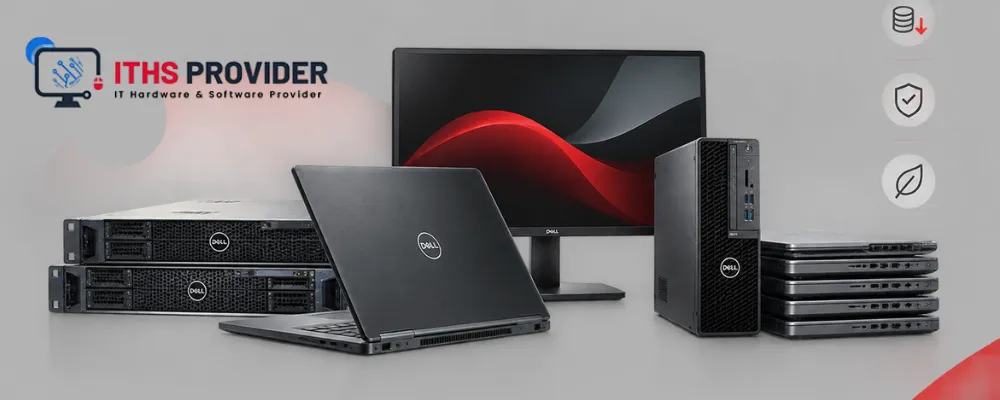
Technology is essential for daily business operations, but replacing every computer and device with brand-new equipment can place unnecessary pressure on an IT budget.
Refurbished IT hardware from ITHS Provider can provide a practical alternative. Properly inspected laptops, desktops, monitors, servers, and networking devices may help a business lower its initial spending while still meeting everyday performance and security requirements.
The important part is choosing equipment carefully. Businesses should look beyond the purchase price and assess testing, data removal, warranty coverage, compatibility, maintenance, and expected service life
Table of Contents
What Is Refurbished IT Hardware?
Refurbished IT hardware is equipment that has previously been used, returned, leased, or removed from another organization’s technology environment. It is then inspected and prepared for another period of service.
A proper refurbishment process may include cleaning, hardware testing, storage checks, component replacement, operating system preparation, and secure removal of previous user data. The exact process varies by supplier, so buyers should ask what has been checked and repaired.
Refurbished equipment is not the same as untested used equipment. A reputable supplier should provide clear information about the device’s condition, testing process, warranty, and return terms.
How Refurbished Hardware Can Reduce IT Costs
The main financial advantage is a lower purchase price. This can help a business equip more employees without increasing its budget or use its savings for software, security, backup, support, and accessories.
Refurbished equipment can also help with planned replacements. Instead of replacing an entire fleet at once, a company may use suitable refurbished devices for standard users while reserving new equipment for employees with more demanding requirements.
The saving is only meaningful when the equipment remains reliable. A cheap device that needs immediate repairs or early replacement may cost more than a better-tested alternative.
Types of Refurbished Equipment for Businesses
Refurbished equipment is not limited to laptops. Businesses can also buy refurbished desktops, monitors, servers, and networking devices. The right choice depends on how the equipment will be used and how much support the business needs.
Refurbished Laptops
Refurbished laptops can be a practical option for employees who work in the office, at home, or between different locations. They are often suitable for email, documents, spreadsheets, customer-management software, web applications, and video meetings.
Before buying, check the laptop’s processor, RAM, SSD, battery, screen, keyboard, ports, webcam, wireless connection, operating system, and warranty. Microsoft also provides guidance on caring for and monitoring battery health in Windows. A laptop for a designer, developer, or engineer may need much more power than one used for routine office work.
Refurbished Desktop Computers
A refurbished desktop can work well for employees who normally stay at one desk. Desktops are usually easier to upgrade than laptops and often provide more performance for the money.
They may suit reception staff, finance teams, customer-service employees, and administrative workers. Check the processor, RAM, storage, ports, power supply, operating system, and physical condition. Also confirm whether the desktop includes a keyboard, mouse, and power cable.
Refurbished Monitors
Refurbished monitors can lower the cost of setting up complete workstations. They are useful for office work, customer-service desks, dashboards, and dual-monitor setups.
Before purchasing, check the screen for dead pixels, brightness problems, scratches, and image defects. It is also worth checking the input ports, stand, adjustment controls, and included power cable.
Refurbished Servers
Refurbished servers may be suitable for file storage, testing, internal applications, backup repositories, and small virtualization environments.
They need more careful checking than ordinary office equipment. Review the processor, RAM capacity, drive bays, RAID controller, remote-management features, power requirements, firmware support, and availability of replacement parts.
A refurbished server should not run a critical business system until its compatibility, backup, recovery, warranty, and support arrangements have been confirmed.
Refurbished Networking Equipment
Refurbished networking equipment may include switches, routers, firewalls, wireless access points, and related devices.
It can reduce purchasing costs, but an older device may not support the latest firmware, security features, licenses, or network speeds. Check its port capacity, throughput, firmware status, licensing requirements, security functions, and compatibility with the existing network.
For important business connections, support availability matters as much as the hardware price.
Refurbished Equipment Compared with New Equipment
New equipment normally offers current components, new batteries, manufacturer warranty coverage, and a more consistent supply of matching models.
Refurbished equipment costs less and can give a business access to strong business-class hardware at a lower price. It may be a good fit for standard office users, temporary employees, spare workstations, or departments with modest requirements.
New equipment is usually the safer choice for critical systems, demanding software, frequent travelers, or large deployments that need the same model for several years.
The better option depends on the employee’s role, the condition of the equipment, the warranty, available support, and how long the business expects to use it.
What to Check Before Buying Refurbished Equipment
Hardware Testing
Ask the supplier what has been tested and whether the results are recorded. For laptops and desktops, testing should cover the processor, RAM, storage, display, ports, keyboard, cooling, power supply, and wireless connection.
Servers and networking equipment need additional checks for drives, RAID controllers, network ports, firmware, power supplies, and remote-management features.
Secure Data Erasure
Used equipment may still contain data from its previous owner. The supplier should confirm that the device has been securely wiped before resale.
Once the equipment arrives, the business should still reset it, install current updates, remove unwanted accounts, enable encryption where appropriate, and apply its own security settings.
Warranty and Returns
A clear warranty gives the business protection if the equipment fails soon after purchase. Check how long the warranty lasts, whether it covers parts and labor, how battery faults are handled, and who pays for return shipping.
Also ask what happens if the device cannot be repaired. A replacement option can be important when the equipment is needed for daily work.
Operating System and Software Licensing
Confirm that the equipment supports a current operating system and includes a legitimate software license. An old or unsupported system may create security and compatibility problems.
The device should also work with the company’s endpoint protection, backup software, identity systems, and management tools.
Compatibility
Check compatibility before ordering. The equipment may need to work with existing monitors, docking stations, printers, applications, servers, network devices, and accessories.
This is particularly important for refurbished servers and networking equipment, where older firmware or discontinued features may cause problems.
Security Before Use
Refurbished equipment can be safe for business use, but it should be prepared before an employee receives it. Remove previous accounts, install supported operating-system and firmware updates, enable encryption, use strong authentication, and install endpoint protection.
Do not connect an unverified refurbished device directly to the business network. Test and configure it first.
Device security should also include restricted administrator access, appropriate network permissions, regular patching, and monitoring. Businesses can also use the NIST Cybersecurity Framework as a reference for managing cybersecurity risks and improving security practices. Important business data should not exist only on an individual device; it should be protected through a reliable backup and recovery process.
Organizations that need assistance with installation, protection, and ongoing maintenance can review IT support options.
Managing Hardware Throughout Its Lifecycle
Refurbished equipment should be managed with the same care as new equipment. Record its model, serial number, purchase date, assigned user, warranty, condition, operating system, and planned replacement date.
IT asset management helps a business understand what equipment it owns, where it is being used, which devices are approaching the end of their useful life, and where support costs are increasing.
Hardware lifecycle management also helps with procurement and replacement planning. A device should be replaced when it no longer meets performance, security, support, reliability, or business continuity requirements.
Understanding the Total Cost of Ownership
The purchase price does not show the full cost of equipment. A proper total cost of ownership review should include purchase and delivery, setup, accessories, software licensing, warranty, support, repairs, replacement components, energy use, employee downtime, and secure disposal.
Refurbished equipment often has a lower starting price, but its value depends on how long it remains useful and how much support it requires.
A device that costs less but needs immediate repairs may not create a real saving. A tested business-class device with a reliable warranty may reduce both initial spending and operational disruption.
Refurbished Hardware and Business Continuity
Reliable equipment supports business continuity by helping employees continue working and allowing essential systems to remain available.
Refurbished devices should be introduced with a support plan. Keep replacement parts or spare equipment where necessary, document support procedures, and ensure important data is backed up separately.
For servers and network equipment, consider how a failure would affect essential applications. A lower purchase price should never replace appropriate redundancy, monitoring, and recovery planning.
When Is Refurbished IT Hardware a Good Choice?
Refurbished equipment may be suitable when employees use standard office applications, the business needs to control upfront spending, and a reputable supplier provides testing and warranty coverage.
It can also be useful when the equipment meets current security and operating system requirements and the organization has a clear replacement and support plan.
New hardware may be more appropriate for demanding applications, critical infrastructure, users who need maximum battery life, or deployments that require the latest features and longest support period.
How to Buy Refurbished Hardware Safely
Begin by defining the equipment’s role and the user’s workload. Set minimum requirements for processor performance, memory, storage, operating system support, connectivity, security, and expected service life.
Then assess the supplier. Look for clear product descriptions, documented testing procedures, secure data-erasure practices, warranty terms, return conditions, and technical support.
Finally, compare the complete ownership cost with a new alternative. The lowest listed price is not always the lowest business cost.
Frequently Asked Questions
Final Thoughts
Refurbished IT hardware can help businesses reduce technology costs without automatically sacrificing performance or reliability. Refurbished laptops, desktops, monitors, servers, and networking equipment can provide value when selected carefully and purchased from a trustworthy supplier.
The best results come from treating refurbished equipment as part of a complete technology plan. Test the equipment, confirm secure data removal, check the warranty, maintain accurate asset records, and plan for replacement.
New hardware can be reserved for demanding or critical roles, while refurbished devices can support standard users and less demanding environments.
Need Help Reducing Your IT Hardware Costs?ITHS Provider can help you choose suitable refurbished hardware and plan your IT infrastructure. |
-160x160.webp)
Leave a Reply
Your email address cannot be published. Required fields are marked*


Information
Customer Service
My Account
©2026 ITHS Provider (A Project of Mehta Corp.) - All Rights Reserved.

No comments