

Your shopping cart is empty!
 Call us: +1-(437)-290-7537
HPE vs Dell: Comparing Enterprise IT Infrastructure Solutions
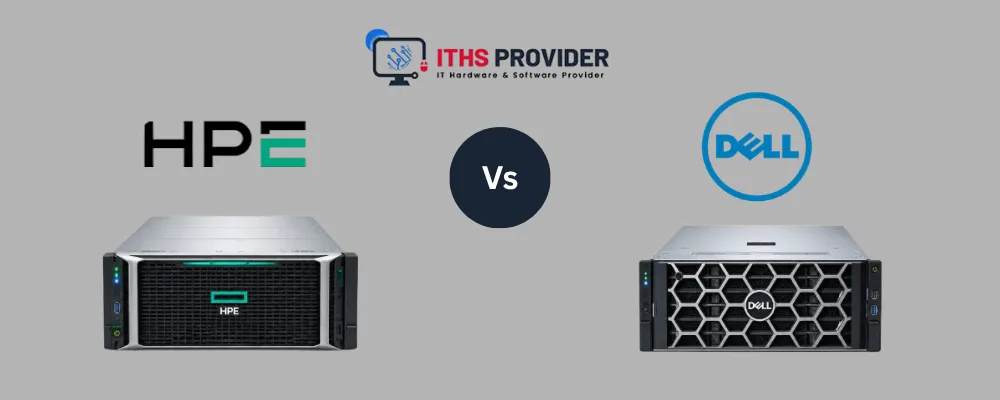
Choosing between HPE and Dell is an important decision for any business planning new servers, storage, virtualization, or broader enterprise IT infrastructure. Both vendors offer a wide range of products for offices, data centers, private cloud environments, and multi-site organizations.
The right choice depends on more than the manufacturer’s name. Businesses should compare workload performance, compatibility, server management, security, support, licensing, scalability, and total cost of ownership before making a purchase.
HPE may be a suitable option for organizations already using HPE ProLiant servers, iLO, OneView, HPE storage, or related support services. Dell may be a better fit for businesses already using PowerEdge servers, iDRAC, OpenManage, Dell storage, or other Dell infrastructure products.
There is no universal winner. The best platform is the one that fits the organization’s existing systems, technical requirements, staff skills, budget, and future growth plans. This guide from ITHS Provider compares both vendors to help you decide.
Table of Contents
HPE vs Dell: Quick Comparison
| Area | HPE | Dell |
|---|---|---|
| Main Server Family | HPE ProLiant | Dell PowerEdge |
| Server Management | Integrated Lights-Out (iLO) and OneView | Integrated Dell Remote Access Controller (iDRAC) and OpenManage |
| Storage Portfolio | Includes platforms such as Alletra and other workload-specific systems | Includes platforms such as PowerStore, PowerScale, and PowerFlex |
| Common Use Cases | Virtualization, databases, business applications, and data centers | Virtualization, databases, business applications, private cloud, and data centers |
| Existing-Environment Advantage | Useful for businesses already using HPE infrastructure and tools | Useful for businesses already using Dell infrastructure and tools |
| Main Evaluation Areas | Configuration, compatibility, licensing, support, and operating cost | Configuration, compatibility, licensing, support, and operating cost |
Product names, features, licensing, and availability can vary by model and region. Always confirm current specifications and commercial terms with the manufacturer or an authorized supplier.
HPE and Dell Enterprise Portfolios
HPE and Dell both provide enterprise servers, storage, networking, management software, and support services. Their products can be used separately or as part of a larger server infrastructure and data center infrastructure design.
When comparing the vendors, look at the complete solution rather than focusing on one processor, drive, or memory specification.
HPE Servers
HPE servers and infrastructure are commonly used for virtualization, databases, file services, business applications, private cloud environments, and data center deployments.
HPE ProLiant servers are available in different form factors and configurations. Depending on the model, businesses can select from different processors, memory capacities, drive arrangements, storage controllers, networking options, power supplies, and support plans.
When reviewing an HPE system, consider processor performance, memory capacity, drive bays, storage controllers, network adapters, remote management, operating system and hypervisor support, warranty, and hardware support. The server should also work properly with the organization’s backup platform, security tools, monitoring software, and existing applications.
Dell Servers
Dell PowerEdge servers can handle many different types of workloads. These include virtualization, databases, business applications, file storage, private cloud environments, and other data center tasks.
Dell offers PowerEdge servers in several configurations, so the right model depends on what the business needs it to do. Some are designed for general use, while others are better suited to running many virtual machines, storing large amounts of data, or supporting demanding applications.
When choosing a Dell server, businesses should look at the processor, amount of memory, storage drives, storage controller, network connections, remote management features, firmware update process, operating system support, technical support, and power consumption.
It is also important not to judge a server based only on the Dell name. Two PowerEdge models can have very different performance, upgrade options, support costs, and expected lifespans. The exact configuration should always be checked before making a decision.
HPE Storage and Dell Storage
Both vendors offer storage products for application workloads, virtualization, databases, file services, analytics, backup, and large-scale data environments.
HPE storage solutions may be considered for block, file, hybrid-cloud, and application-specific requirements. Dell storage solutions include platforms designed for different block, file, software-defined, and scalable storage needs.
Storage decisions should begin with the workload. A database may need low latency and consistent performance, while file services may place greater importance on capacity, access control, and easy expansion. Compare usable capacity, performance, storage protocols, data reduction, data protection, snapshots, replication, management, backup integration, migration requirements, and support procedures.
The storage platform should connect properly with the organization’s servers, virtualization software, backup systems, cloud services, and disaster recovery site.
High availability is also important, but it does not replace a separate backup. A storage system may continue operating after a component failure, while a backup is needed to recover deleted, corrupted, encrypted, or otherwise damaged data.
HPE vs Dell for Server Performance
Server performance depends on more than the processor model. Memory capacity, memory speed, storage media, controller design, network connections, software configuration, and application behavior can all affect the final result.
Before comparing systems, document how the business uses its infrastructure. Review database transactions, the number of virtual machines, application response times, file access, backup traffic, analytics workloads, user concurrency, network usage, and peak demand.
A server with more processing power is not always the best option. If an application is being slowed down by limited memory, storage, network capacity, or poor application design, adding a faster processor may not solve the problem. For this reason, businesses should test servers using workloads that are similar to the ones they use in real life. Manufacturer benchmarks can be helpful, but they do not always show how a server will perform with a specific company’s applications.
Server Management: HPE iLO and Dell iDRAC
Server management tools make it easier for IT teams to set up, monitor, update, troubleshoot, and recover servers.
HPE servers usually use Integrated Lights-Out (iLO). It allows IT staff to access and manage a server remotely, even when there is a problem with the operating system. HPE OneView provides additional tools for managing and standardizing supported infrastructure.
Dell servers commonly use the Integrated Dell Remote Access Controller (iDRAC). It provides remote access, hardware monitoring, power control, and alerts. Dell OpenManage adds tools for managing server inventory, firmware, configurations, and system updates.
When comparing HPE iLO and Dell iDRAC, businesses should look at features such as:
-
Remote console access
-
Power control
-
Hardware alerts
-
Firmware updates
-
Configuration templates
-
Inventory management
-
User permissions
-
Audit logs
-
Automation
-
Monitoring integrations
-
Management across multiple locations
-
Licensing costs and requirements
Neither platform is automatically better than the other. The best choice usually depends on which system fits the company’s existing equipment, processes, budget, and staff experience. Using familiar tools can reduce training and make everyday server management easier.
Virtualization and Cloud Infrastructure
Many businesses use virtual machines to run several applications on one physical server. This can help them make better use of their hardware and deploy applications more quickly.
However, virtualization also creates additional planning requirements. Businesses need to make sure they have enough memory, fast and reliable storage, a well-designed network, and a clear backup and recovery plan. If these areas are overlooked, running several virtual machines on one server can lead to performance problems and make a hardware failure affect multiple applications at once.
When evaluating virtualization infrastructure, confirm that the selected servers support the organization’s hypervisor, required virtual machine density, memory allocation, storage architecture, network traffic, backup operations, high-availability design, failover requirements, and disaster recovery procedures.
Organizations combining local servers with hosted services should also review their cloud infrastructure and hybrid cloud infrastructure plans. The hardware should fit into the wider architecture rather than operate as an isolated platform.
Cloud-connected applications may require dependable network links, identity integration, secure remote access, monitoring, and clear data-recovery procedures.
Storage, Backup, and Recovery
Enterprise storage should always be assessed together with data backup and recovery.
A complete backup plan should define which systems are protected, how frequently backups run, how long data is retained, where offsite or cloud copies are stored, who can access them, how data is encrypted, and how critical systems will be restored.
Businesses should also review recovery time objectives, recovery point objectives, restore procedures, and the frequency of restore testing. They should confirm that the selected servers and storage products integrate with their backup software.
Support and replacement procedures are also important. Consider how quickly failed components can be replaced, whether onsite service is available, how configurations are restored, and whether critical workloads can continue during maintenance.
A backup that has never been tested may not provide reliable protection. Restore testing should be scheduled and documented as part of the organization’s wider recovery plan.
Server Security and Infrastructure Protection
Server security should cover hardware, firmware, operating systems, applications, management accounts, storage, and network connections.
Important security measures include secure boot, firmware updates, encryption, strong administrator authentication, multi-factor authentication where supported, role-based access, network segmentation, restricted management access, logging, alerting, vulnerability management, and regular permission reviews.
The NIST Cybersecurity Framework provides a useful structure for identifying, protecting, detecting, responding to, and recovering from cybersecurity risks.
Security also depends on daily operational discipline. Businesses should keep firmware current, remove unused accounts, review administrator permissions, monitor alerts, document changes, and maintain secure configuration backups.
Server Scalability and Future Growth
Server scalability involves more than adding processors. Businesses should consider memory expansion, available drive bays, network ports, storage connectivity, processor upgrades, power capacity, virtualization growth, rack space, and support for new applications.
A server that meets today’s requirements may become a limitation if the business expects rapid growth. However, purchasing significantly more capacity than necessary can increase capital costs, licensing, power consumption, cooling requirements, and support charges.
A three- to five-year capacity plan should be based on actual data growth, application demand, user growth, expected workload changes, and planned infrastructure modernization.
HPE vs Dell for Common Business Use Cases
Virtualization
Both HPE and Dell offer server platforms suitable for virtualization. The correct choice depends on processor capacity, memory expansion, storage design, network bandwidth, hypervisor compatibility, backup, and failover requirements.
Database Applications
Database workloads may require high memory capacity, fast storage, low latency, and predictable performance. Test the complete configuration rather than judging performance based only on processor specifications.
File and Application Services
Businesses running file services and line-of-business applications should review storage capacity, network speed, redundancy, backup, access controls, and future data growth.
Private Cloud
Private cloud environments require scalable servers, flexible storage, network capacity, centralized management, automation, monitoring, and clear security controls.
Data Centers
Data center environments require careful planning for rack space, power, cooling, cabling, redundancy, monitoring, hardware support, and maintenance.
Existing vendor relationships may influence the decision. An organization already using HPE or Dell tools may reduce integration and training requirements by staying with the same platform.
Total Cost of Ownership
The purchase price does not represent the complete cost of an HPE or Dell deployment. A realistic total cost of ownership review should include servers, storage, memory and drive upgrades, network equipment, software, licensing, management tools, warranty, support contracts, installation, monitoring, power, cooling, rack space, administration, backup, recovery, migration, hardware replacement, training, and renewals.
Support terms deserve particular attention. Compare response times, replacement procedures, onsite service, firmware access, contract length, coverage hours, escalation procedures, renewal prices, and regional availability.
A lower purchase price may not provide better value if the system requires more administration or has higher support and licensing costs.
HPE vs Dell: Which Is Better?
Neither HPE nor Dell is better in every situation. The right decision depends on the organization’s technical and business requirements.
HPE may be suitable for a business that already has HPE servers or storage, uses iLO or OneView, has staff familiar with HPE systems, needs a specific ProLiant configuration, or wants to consolidate vendor support.
Dell may be suitable for a business that already operates Dell infrastructure, uses iDRAC or OpenManage, has staff familiar with Dell systems, needs a particular PowerEdge configuration, or prefers a specific Dell storage platform.
For a new environment, businesses should request comparable proposals from both vendors. Each proposal should be evaluated against the same workload, capacity, expansion, management, security, compatibility, availability, support, licensing, and three- to five-year cost requirements.
The better vendor is the one that fits the complete business and technical environment.
Buying Checklist
Before requesting quotes, document the current environment and expected future needs. Record workloads, applications, processor requirements, memory requirements, storage capacity, network connections, operating systems, virtualization platforms, backup software, security controls, recovery targets, and expected growth.
The commercial proposal should clearly show hardware pricing, software licenses, support contracts, installation costs, warranty terms, renewal charges, expansion costs, power and cooling requirements, migration services, and administration responsibilities.
Ask each vendor or supplier to provide a comparable proposal. Make sure the proposals show usable storage, included licenses, support response times, installation costs, expansion options, and future renewal charges.
Businesses that need help with business IT solutions, infrastructure planning, equipment selection, and IT support can contact ITHS Provider.
Common Buying Mistakes
Choosing Only by Purchase Price
The hardware price may not include licensing, support, installation, optics, cabling, management, or future expansion.
Comparing Different Configurations
A comparison is not meaningful when one vendor’s proposal includes more memory, faster drives, better support, or additional software.
Ignoring Management Costs
A platform that is difficult for the internal team to manage may create higher administration and training costs.
Overlooking Compatibility
Confirm compatibility with operating systems, hypervisors, backup tools, monitoring platforms, security products, and existing network equipment.
Failing to Plan for Growth
A system with no practical upgrade path may require early replacement.
Neglecting Recovery
High availability is not a substitute for tested backups and a documented recovery plan.
Frequently Asked Questions
Final Thoughts
HPE and Dell both offer capable options for enterprise IT infrastructure, including servers, storage, virtualization, management, and data center systems.
The right decision should be based on the requirements of the business rather than a general claim that one vendor is always better. Compare equivalent configurations, test important workloads, review management and support, and calculate the full cost over several years.
Also confirm that the selected equipment fits the organization’s backup, security, cloud, and recovery plans. A well-planned solution should perform reliably today and remain manageable as the business grows.
Need Help Comparing HPE and Dell Infrastructure?Choosing between HPE and Dell requires a clear view of your workloads, storage, virtualization, security, support, and future growth. IITHS Provider can help you assess your current environment, compare infrastructure options, plan a practical enterprise IT infrastructure solution, and arrange ongoing IT Support. |

Leave a Reply
Your email address cannot be published. Required fields are marked*


Information
Customer Service
My Account
©2026 ITHS Provider (A Project of Mehta Corp.) - All Rights Reserved.

No comments