

Your shopping cart is empty!
 Call us: +1-(437)-290-7537
Cisco Networking Equipment: A Complete Business Buying Guide
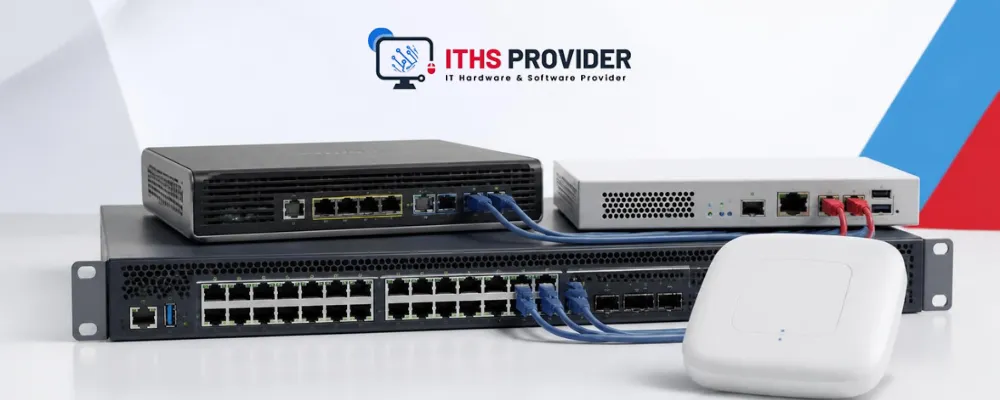
When a business network starts causing problems, the signs are usually easy to notice. Employees may complain about slow applications, dropped video calls, unreliable Wi-Fi, or difficulty accessing shared systems. Customers may experience delays at the point of sale, while IT staff may spend hours trying to identify whether the problem is related to the internet connection, a switch, a firewall, or a wireless access point.
The equipment behind the network has a major effect on business performance. Cisco networking equipment helps organizations connect devices, direct traffic, protect data, provide wireless access, and manage their infrastructure.
Cisco products are used by small businesses, branch offices, schools, healthcare organizations, retailers, corporate campuses, data centers, and large enterprises. However, there is no single Cisco device that is right for every company. The best solution depends on the number of users, connected devices, applications, internet bandwidth, security requirements, office layout, number of locations, and expected growth.
Businesses that need help planning or managing their network can contact ITHS Provider.
Table of Contents
What Is Cisco Networking Equipment?
Cisco networking equipment includes the hardware and software used to build, secure, connect, and manage business networks.
The main product categories include routers, switches, firewalls, wireless access points, and network-management tools. These devices work together, but each one has a different role.
| Cisco equipment | Main purpose | Practical business example |
|---|---|---|
| Cisco routers | Connect separate networks and direct traffic | Connecting an office to the internet or linking branch locations |
| Cisco switches | Connect devices within a local network | Connecting computers, phones, printers, servers, and cameras |
| Cisco firewalls | Control and inspect network traffic | Protecting the business from unauthorized access and managing VPNs |
| Cisco wireless access points | Provide wireless network access | Supporting employee Wi-Fi, guest access, scanners, and mobile devices |
| Cisco network-management tools | Monitor and manage network infrastructure | Checking device health, performance, alerts, and connected users |
A typical office may have an internet connection connected to a router or firewall. That device connects to one or more switches, which then connect computers, phones, printers, servers, cameras, and wireless access points.
Cisco Routers for Business Connectivity
A Cisco router directs traffic between separate networks. In a business environment, it may connect the office to the internet, link different branches, connect to cloud services, or support secure communication between sites.
Routers are especially important for businesses that operate from more than one location. A company with offices in Toronto, Chicago, and Dallas, for example, may use routers and secure VPN connections to allow employees to access shared applications and services.
A router also helps manage how traffic moves through the network. Voice calls and video meetings may need priority over less urgent traffic such as large file downloads or software updates. In larger environments, routing policies can help direct traffic through the most appropriate connection.
When choosing a Cisco router, consider the speed of the internet connection, expected traffic, VPN requirements, number of network interfaces, routing features, cloud connectivity, and failover options.
A small office may only need a basic edge router or security gateway. A multi-site organization may need advanced routing, encrypted tunnels, multiple service providers, and automatic failover if the main connection stops working.
Cisco Switches for Offices and Enterprise Networks
Cisco switches connect devices within a local network. They are used in almost every business environment because computers, phones, printers, servers, access points, cameras, and other devices usually need to communicate with one another.
The type of switch a business requires depends on the environment. A small office may need a compact managed switch with a limited number of ports. A corporate campus may require multiple switches, high-speed uplinks, fiber connections, redundant power, and support for several network segments.
Cisco switches can also help businesses organize and control their networks. Separate VLANs can be created for employees, guests, phones, cameras, servers, and management systems. This prevents every device from operating on one unrestricted network.
For example, a guest using office Wi-Fi should normally have internet access without being able to connect to company file servers. Similarly, security cameras may need to communicate with their recording system but should not have unrestricted access to employee computers.
Before buying a Cisco switch, review port count, port speed, uplink capacity, PoE support, VLAN features, Layer 2 or Layer 3 capability, management options, stacking, redundancy, and future expansion.
Cisco Routers and Switches: What Is the Difference?
Cisco routers and switches often work together, but they perform different jobs.
A router connects separate networks. It may connect an office network to the internet or link one branch to another. A switch connects devices within the same local network, such as computers, phones, printers, and servers.
A simple office layout may look like this:
text
Internet connection
|
Router or firewall
|
Managed switch
|
Computers, phones, printers, servers, cameras, and wireless access points
In larger networks, the design may include several layers of switching, separate routing devices, firewalls, wireless controllers, and monitoring platforms.
Understanding this difference helps businesses avoid buying equipment based only on port count or brand name. A switch cannot replace every routing function, and a router may not provide enough ports or local connectivity for an office full of devices.
Cisco Firewalls for Business Network Security
A Cisco firewall controls traffic entering, leaving, or moving through a business network. It uses security policies to allow legitimate connections and block or inspect suspicious or unauthorized traffic.
Businesses may use Cisco firewalls for internet protection, site-to-site VPNs, remote-access VPNs, application control, threat prevention, logging, reporting, and network segmentation.
Consider a company with employees, visitors, payment systems, security cameras, and internal servers. These groups should not necessarily share the same unrestricted network. A firewall can help enforce different rules for each type of traffic.
When selecting a firewall, businesses should check more than the advertised throughput. Performance may change when VPN services, threat inspection, application filtering, and other security features are enabled.
Important questions include:
- How much internet traffic does the business handle?
- How many remote users need VPN access?
- How many branch-to-branch VPN connections are required?
- Does the organization need application inspection or threat prevention?
- Is high availability required?
- What logging and reporting features are needed?
- Which features require licenses or subscriptions?
Security should not stop at the firewall. Administrative accounts should be protected with strong passwords and multi-factor authentication where supported. Management access should be restricted, unused services should be disabled, software should be updated, and firewall rules should be reviewed regularly.
Cisco’s network security guidance provides additional information about protecting users, devices, applications, and business data.
Cisco Wireless Access Points and Business Wi-Fi
Wireless access points provide Wi-Fi for laptops, smartphones, tablets, scanners, wireless phones, and other devices.
Businesses sometimes assume that one access point per floor will provide sufficient coverage. That approach can create problems because wireless performance depends on more than floor size. Walls, concrete, glass, metal, interference, user density, and the type of applications being used all affect performance.
A small office used mainly for email and web browsing may have modest requirements. A warehouse using wireless scanners, a hotel supporting guests, or a hospital using mobile clinical systems may need a carefully designed high-density wireless network.
A wireless site survey can identify weak coverage areas, sources of interference, and locations where too many users may connect to one access point. It can also help determine the best mounting locations and access-point quantity.
Business Wi-Fi should normally include separate access for employees and guests. Guest users should not have unrestricted access to internal servers, financial systems, printers, or network-management devices.
When choosing Cisco wireless access points, review supported Wi-Fi standards, expected client numbers, radio performance, roaming requirements, authentication, guest access, PoE requirements, management, and licensing.
Managed Switches, Layer 2, Layer 3, and PoE
Managed Switches
Managed switches allow administrators to configure, monitor, and control network traffic. They can support VLANs, access policies, port security, quality of service, link aggregation, monitoring, and configuration backups.
Managed switches are generally more suitable for business networks than unmanaged switches because they provide greater visibility and control. They also make it easier to separate employee devices, guest users, phones, cameras, and servers.
An unmanaged switch may be acceptable for a very simple connection, such as adding a few devices in a low-risk environment. It is usually not the best choice for a network that requires security, monitoring, or future expansion.
Layer 2 Switches
A Layer 2 switch forwards traffic within a local network using hardware addresses. It is commonly used to connect devices within the same VLAN or local network segment.
Layer 2 switching may be sufficient for a small office with a straightforward design. However, larger networks may require routing between different VLANs, which is where Layer 3 switching becomes useful.
Layer 3 Switches
A Layer 3 switch can route traffic between network segments as well as switch local traffic. It may be useful in larger offices, campuses, and enterprise environments.
For example, a Layer 3 switch may route traffic between employee, voice, camera, and server VLANs. This can improve internal performance and reduce the need to send every internal connection through a separate router.
Layer 3 capability does not remove the need for security policies. Sensitive traffic may still need to pass through a firewall or other security control.
PoE Switches
A Power over Ethernet switch provides power and network connectivity over the same Ethernet cable. PoE is commonly used for wireless access points, IP phones, security cameras, access-control systems, and other compatible devices.
Businesses should check the total PoE power budget rather than counting ports alone. A switch may have enough PoE ports but not enough power to operate every connected device at the same time.
For example, if an office plans to install 20 wireless access points, 30 IP phones, and 15 cameras, the total power requirement must be calculated before the switch is selected.
Cisco Equipment for Small Businesses
A small business may need a router or security gateway, one or more managed switches, wireless access points, guest Wi-Fi, basic network segmentation, and suitable firewall protection.
The design should remain simple enough for the business to support, but simplicity should not mean ignoring security. Employee devices, guest users, cameras, phones, and management systems may require different access rules.
A small office should also leave space for growth. If the company expects to add employees, phones, cameras, or access points, it may be more cost-effective to choose equipment with spare ports and sufficient uplink capacity from the beginning.
For example, a 15-person office may start with 20 computers and phones but later add meeting-room equipment, cameras, wireless access points, and additional staff. A switch with no spare ports could force an unnecessary replacement.
Cisco Equipment for Enterprise Networks
Enterprise networks are more complex because they often support many users, devices, applications, offices, and security requirements.
A large organization may need:
- Multiple network segments
- High-speed uplinks
- Redundant switches and power supplies
- High-density wireless
- Centralized monitoring
- Secure communication between branches
- Data center connectivity
- Backup internet connections
- Detailed access controls
- Documented recovery procedures
Enterprise network equipment should be selected as part of a complete architecture. Individual devices must work together and support the company’s availability, security, performance, and management requirements.
A university, for example, may need separate networks for students, teaching staff, administration, research systems, security cameras, and visitors. A retail company may need to separate point-of-sale systems, staff devices, cameras, inventory scanners, and customer Wi-Fi.
How to Choose the Right Cisco Networking Equipment
Start with the Current Environment
Before purchasing equipment, document the network as it exists today. Count computers, phones, printers, cameras, servers, access points, scanners, point-of-sale systems, and other connected devices.
Do not plan only for current users. Include expected growth, new offices, cloud applications, additional wireless devices, and changes to business operations.
Review Bandwidth and Applications
Network requirements are affected by the applications employees use. Email and web browsing require less capacity than video conferencing, cloud-based design tools, file transfers, backups, voice services, and high-resolution security cameras.
Review peak usage rather than relying only on average traffic. A network may operate normally during most of the day but become congested during online meetings, backup windows, training sessions, or busy retail periods.
Plan Network Segmentation
Decide which users and devices should be separated. Employee computers, guests, phones, cameras, servers, printers, payment systems, and management devices may need different VLANs and security policies.
Segmentation limits unnecessary access and can reduce the impact of a compromised device.
Consider Redundancy
Network redundancy helps reduce downtime when equipment, power, internet connections, or cables fail.
Depending on the business, redundancy may include backup internet, dual power supplies, redundant switches, multiple uplinks, link aggregation, or failover firewalls.
Not every small office requires a fully redundant network. The important question is which failures would seriously interrupt operations and whether the cost of protection is justified.
Check Licensing and Support
Cisco equipment may include licensing and subscription requirements. Businesses should confirm which features are included with the hardware, which services require annual renewal, and what happens if a license expires.
The total budget may also include installation, configuration, support, replacement hardware, transceivers, cabling, monitoring, and staff training.
Cisco’s official product information can help businesses review current product categories and available features.
Network Performance and Reliability
Good equipment does not automatically guarantee a good network. Performance also depends on cabling, internet service, wireless placement, server capacity, configuration, traffic patterns, and application behavior.
A network may appear to have enough bandwidth but still perform poorly because of damaged cables, overloaded interfaces, wireless interference, incorrect VLAN settings, DNS problems, or a slow application server.
Administrators should monitor network health and review information such as link utilization, interface errors, packet loss, latency, wireless performance, device temperature, CPU and memory usage, failed connections, and firmware status.
Cisco’s network monitoring information explains how monitoring tools can help administrators gain visibility into infrastructure and performance.
Monitoring should lead to action. If an alert shows that a switch uplink is regularly reaching full capacity, the business may need a faster connection, better traffic distribution, or a revised network design.
Network Security Considerations
Network security should be planned before equipment is installed. Strong administrative credentials, multi-factor authentication where supported, role-based access, secure management protocols, regular updates, and appropriate segmentation are essential.
Unused ports and services should be disabled. Management access should be limited to authorized users and, where possible, restricted to a dedicated management network.
Firewall rules should be reviewed regularly. Old rules, unused accounts, and unnecessary access can create security risks over time.
Security is not a one-time configuration. The network should be reviewed whenever the business adds employees, branches, applications, wireless devices, cloud services, or connected equipment.
Network Installation, Configuration, and Support
Installing Cisco equipment involves more than connecting cables and switching devices on. The equipment needs to be configured, labeled, tested, documented, and added to the monitoring process.
A professional installation may include IP addressing, VLAN configuration, routing, firewall policies, VPNs, wireless testing, device management, firmware updates, configuration backups, and failover testing.
Proper documentation should show how the network is connected and how important devices are configured. It should include network diagrams, IP addresses, VLANs, device locations, administrator information, licenses, support details, and backup procedures.
Businesses that do not have sufficient internal expertise can use IT support services for network installation, configuration, troubleshooting, maintenance, and monitoring.
Network Maintenance and Troubleshooting
Regular maintenance helps reduce outages and identify problems before they affect a large number of users.
Maintenance should include firmware reviews, configuration backups, capacity checks, log reviews, security-policy updates, hardware-health checks, license reviews, and wireless assessments.
When a problem occurs, begin by identifying what is affected. Is the issue limited to one user, one device, one application, one department, one location, or the entire business?
Then check the most likely causes, including power, cabling, interfaces, recent changes, DNS, DHCP, routing, firewall rules, authentication, wireless interference, logs, and internet connectivity.
After resolving the issue, record the cause and corrective action. This creates a useful history and can reveal repeated problems that require a permanent design change.
Business Continuity and Network Backups
Network equipment should be included in the business continuity plan. A failed switch, router, firewall, or wireless device can interrupt employee productivity and access to important business applications.
Secure configuration backups should be maintained for routers, switches, firewalls, wireless systems, and other managed devices. Backups should be stored separately from the equipment and protected from unauthorized access.
A configuration backup does not replace a complete disaster-recovery plan, but it can reduce the time required to rebuild a failed device. The backup process should be tested so authorized staff know how to restore it during an emergency.
Businesses should also maintain records of device locations, serial numbers, IP addresses, licenses, network diagrams, administrator accounts, replacement procedures, vendor contacts, and support agreements.
The CISA Secure Our World guidance includes practical recommendations such as using strong passwords, enabling multi-factor authentication, installing updates, and recognizing phishing attempts.
Common Cisco Equipment Buying Mistakes
- Buying based only on port count: Port quantity is important, but speed, PoE capacity, uplinks, management, VLAN support, and future requirements also matter.
- Ignoring licensing: Hardware may not include every software feature or subscription required for the planned design.
- Installing wireless access points without a survey: Coverage and capacity are different. A strong signal does not guarantee good performance when many users connect at once.
- Treating security as an extra: Segmentation, secure administration, updates, firewall rules, and monitoring should be included from the beginning.
- Failing to document changes: Unrecorded changes make troubleshooting slower and increase the risk of configuration errors.
- Choosing equipment without checking support: Firmware availability, warranty terms, replacement options, and technical assistance should be reviewed before purchase.
Frequently Asked Questions
Final Thoughts
Cisco networking equipment can support a wide range of business environments, from small offices to large enterprise networks. Routers connect separate networks, switches connect local devices, firewalls protect traffic, wireless access points provide Wi-Fi, and management tools help administrators monitor and maintain the infrastructure.
The best solution is not necessarily the newest or most expensive equipment. It is the equipment that matches the business’s users, devices, applications, bandwidth, security needs, office layout, locations, support resources, and growth plans.
Before buying, assess the current network, plan for future demand, check compatibility and licensing, define security policies, and decide which level of redundancy is appropriate. After installation, maintain accurate documentation, protect administrative access, monitor performance, and keep configuration backups.
For businesses that need help with Cisco network installation, maintenance, configuration, or troubleshooting, professional support can reduce deployment problems and improve long-term reliability.
Need Help Choosing Cisco Networking Equipment?ITHS Provider can help you plan, install, configure, and support the right Cisco network for your business. |
-160x160.webp)
Leave a Reply
Your email address cannot be published. Required fields are marked*


Information
Customer Service
My Account
©2026 ITHS Provider (A Project of Mehta Corp.) - All Rights Reserved.

No comments